Find a Job You Really Want In
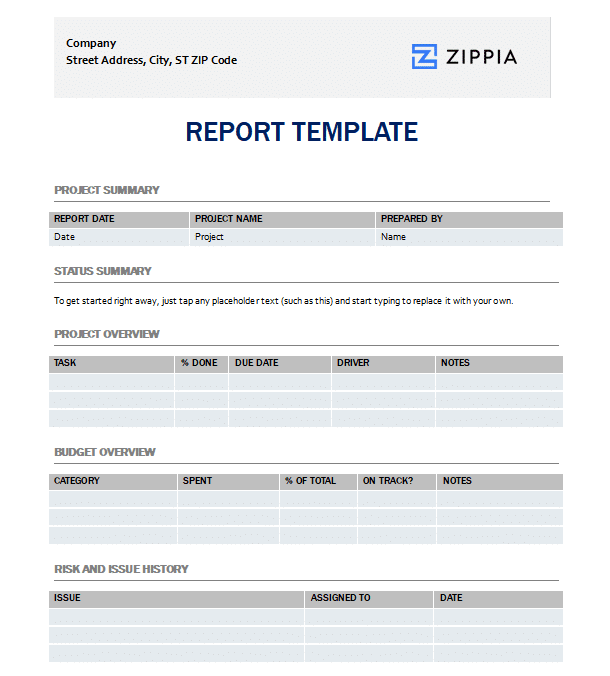
A project report is a comprehensive document that outlines a project’s progress, outcomes, and any challenges faced during its execution. It is essential for keeping stakeholders informed about the project’s status, key achievements, issues, and future steps.
By clicking Download, you agree to Zippia’s Privacy Policy and Terms of Use.

How to Create a Project Report
Creating a project report involves several essential steps:
-
Begin with an executive summary that encapsulates the project and highlights key findings.
-
Provide a detailed update on the project’s progress and milestones achieved.
-
Address any obstacles or challenges encountered and describe the strategies used to overcome them.
-
Include a financial overview, detailing the budget, expenses, and future projections.
-
Conclude with a summary of the next steps.
How to Utilize a Project Report Template
Using a project report template can streamline the reporting process and ensure that all relevant sections are covered. A well-structured template typically guides you through necessary elements such as the executive summary, project updates, challenges, financials, and future plans. Simply fill in each section with project-specific information, ensuring the content remains clear, concise, and informative.
Project Report FAQ
-
Who is the target audience for a project report? A project report is primarily intended for stakeholders, including project team members, management, clients, and sponsors who have a vested interest in the project’s progress, success, and challenges.
-
How frequently should a project report be generated? A project report should be created weekly, bi-monthly, or monthly, depending on the project’s complexity. Additionally, reports can be generated upon reaching significant milestones.
-
Are visuals necessary in a project report? While not required, including visuals in a project report can enhance clarity, provide intuitive overviews of progress, and improve the overall readability of the document.
In conclusion, a well-structured project report is crucial for effective communication among stakeholders, ensuring everyone is aligned on project objectives and outcomes. By leveraging a project report template, you can save time and ensure that essential information is presented clearly and professionally, setting the stage for successful project management in 2026 and beyond.

Author

Matthew Zane is the lead editor of Zippia's How To Get A Job Guides. He is a teacher, writer, and world-traveler that wants to help people at every stage of the career life cycle. He completed his masters in American Literature from Trinity College Dublin and BA in English from the University of Connecticut.