
Automatically apply for jobs with Zippia
Upload your resume to get started.
Computer laboratory supervisor skills for your resume and career
15 computer laboratory supervisor skills for your resume and career
1. Computer Lab Equipment
- Managed computer lab at multiple WVU facilities/campuses * Maintained computer lab equipment * Troubleshooting and problem-solving- provided assistance to students using lab
- Included assisting students and professors with computer lab equipment operation and software application concerns.
2. Mac
A media access control or simply MAC is a network policy that identifies or determines how the data is being transferred in two particular servers through a network cable. The purpose of a MAC protocol is to prevent network or technical issues and simplify transferring the information or data.
- Maintained lab of 30 Windows and Mac computers, while accommodating patrons.
- Managed users on Windows, Mac and Linux platforms.
3. Troubleshoot
Troubleshooting is the process of analyzing and fixing any kind of problem in a system or a machine. Troubleshooting is the detailed yet quick search in the system for the main source of an issue and solving it.
- Manage a team of 5+ Ensure excellent customer experience Train and mentor team members Troubleshoot technical issues
- Prioritized support requests, working directly with administrators and end-users to accurately troubleshoot and correct software issues.
4. Computer Software
- Provided technical class instruction in computer software applications.
- Assisted students on daily computer software/hardware issues.
5. Lab Assistants
- Trained and supervised a team of 12 lab assistants to provide high quality on-site, telephone, and second-level technical support.
- Managed Computer Lab comprising 16 lab assistants and 3-5 SIU interns and led comprehensive training of lab assistants.
6. Computer Programs
A computer program is a set of instructions that can be executed by a computer to perform an operation or task. Computer programs are devised by computer programmers in a programming language. Everything a computer does is through a computer program.
- Tutored college-level students in various computer programs, specializing in Microsoft Office applications and internet support.
- Assisted students with difficulty in accessing computer programs.
Choose from 10+ customizable computer laboratory supervisor resume templates
Build a professional computer laboratory supervisor resume in minutes. Our AI resume writing assistant will guide you through every step of the process, and you can choose from 10+ resume templates to create your computer laboratory supervisor resume.7. PowerPoint
- Trained students in the following Microsoft software: Outlook, Excel, and PowerPoint.
- Work with Computer Applications (Word, Excel, PowerPoint, Outlook, Project)
8. Mathematics
- Directed the formulation, implementation and evaluation of QCC's Computer Assisted Mathematics Laboratory.
- Managed the centralized microcomputer laboratory for the Natural Sciences and Mathematics Division.
9. Linux
Linux is a Unix-like operating system. Just like Windows, Mac OS, and IOS, Linux is an operating system used by millions across the globe. Android itself is powered by the Linux operating system. Linux manages all the hardware resources that are associated with your computer. The software is famous because of the protection it grants from viruses, malware, and crashes. The Linux operating system is entirely free and is an open-source software meaning it can be altered by those equipped with the knowledge to code.
- Developed high level of computer literacy and flexibility with Macintosh, Windows, and Linux operating systems.
- Perform routine Linux system administration tasks.
10. Software Problems
- Used problem solving skills to repair PC, printer, fax machine, telephone and software problems.
- Maintain a log of hardware and software problems; follow up on reported problems as necessary.
11. Computer System
- Arranged availability and reliability of computer systems and printers in labs.
- Answer questions and provide guidance with respect to course materials and procedures, computer systems and applications, policies and procedures.
12. Computer Problems
- Provided troubleshooting assistance and answered any computer problems on daily basis.
- Accommodated members with computer problems and accessory malfunctions.
13. Software Applications
A software application is any computer program developed and used by consumers, such as Microsoft's suite of products (Office, Excel, Word, PowerPoint, Outlook, etc.), Internet browsers such as Firefox, Safari, and Chrome, or browser add-ons that Defendant preinstalls or causes to be preinstalled onto a Covered Product. The software application is designed to help the user perform specific tasks - personal, educational, and business functions.
- Support users with computer related problems, Internet, software applications, programming language, and logging on to the network.
- Educated students in areas of basic computer terminology, software applications, and hardware.
14. Technical Problems
- Fix minor computer glitches and technical problems for students who are using a certain software.
- Identified, analyzed, and resolved technical problems for students and faculty.
15. Training Sessions
- Conducted hands-on computerized training sessions and prepare software user documentation.
- Conduct training sessions for other lab employees and provide technical assistance to Professors.
5 Computer Laboratory Supervisor resume examples
Build a professional computer laboratory supervisor resume in minutes. Browse through our resume examples to identify the best way to word your resume. Then choose from 5+ resume templates to create your computer laboratory supervisor resume.
What technical skills for a computer laboratory supervisor stand out to employers?
Chirag Parikh Ph.D.
Computer Engineering Chair, Grand Valley State University
As a Computer Engineering professor, I would say the job opportunities are tremendous for students out of college as they can venture into hardware field (technical support, hardware engineer, test engineer and much more) as well as software field (software engineer, software developer, software tester and much more). The possibilities are endless.
With COVID and employees working remotely there is still ample opportunity to enhance your technical and interpersonal skills as I believe remote working might stay for a while till things get back to normal.
List of computer laboratory supervisor skills to add to your resume
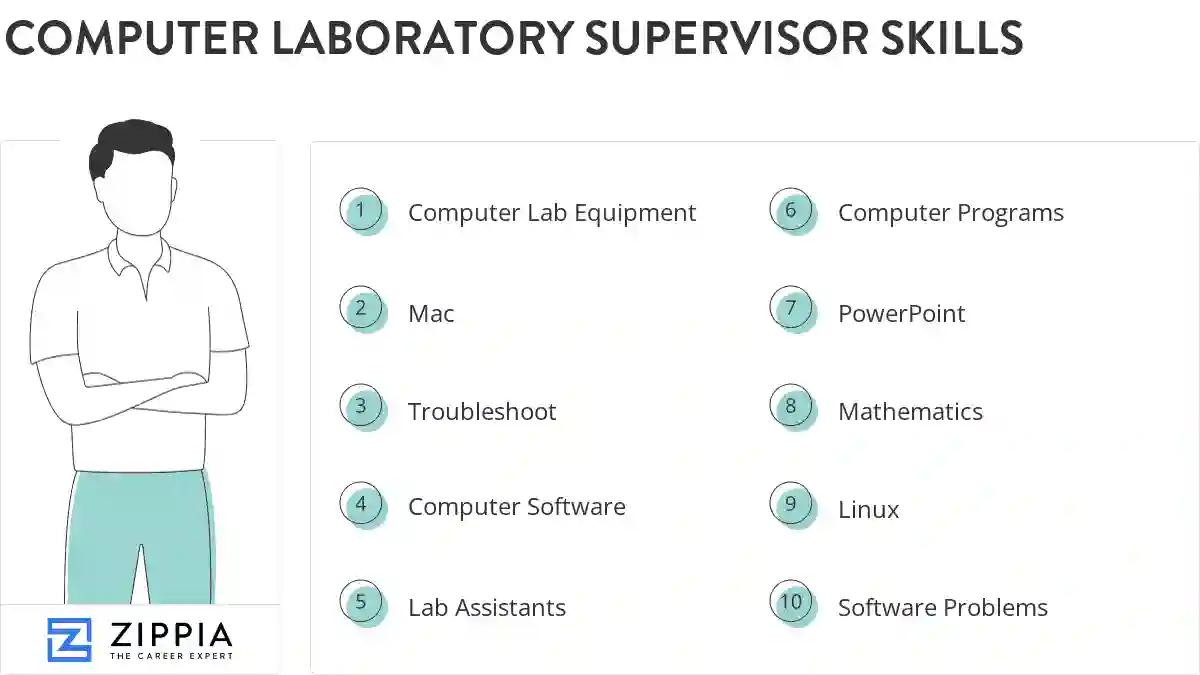
The most important skills for a computer laboratory supervisor resume and required skills for a computer laboratory supervisor to have include:
- Computer Lab Equipment
- Mac
- Troubleshoot
- Computer Software
- Lab Assistants
- Computer Programs
- PowerPoint
- Mathematics
- Linux
- Software Problems
- Computer System
- Computer Problems
- Software Applications
- Technical Problems
- Training Sessions
- LAN
- Adobe Photoshop
- Software Issues
- PCS
- CAD
- Technical Assistance
- Troubleshot
- Windows XP
- Computer Issues
- Computer Applications
- Routine Maintenance
- SQL
- Office Programs
- HTML
- C++
- Software Packages
- Technical Issues
- Computer Usage
- Desktop Support
- Software Updates
- Office Applications
- IP
- Blackboard
- Lab Procedures
- Unix
- Computer Maintenance
- Software Support
- Network Printers
- Printer Issues
Updated January 8, 2025
