
Automatically apply for jobs with Zippia
Upload your resume to get started.
Configuration technician skills for your resume and career
15 configuration technician skills for your resume and career
1. Troubleshoot
Troubleshooting is the process of analyzing and fixing any kind of problem in a system or a machine. Troubleshooting is the detailed yet quick search in the system for the main source of an issue and solving it.
- Tested newly configured computers for appropriate functionality and troubleshoot for any errors found.
- Configured troubleshoot and supported network device and printers.
2. Computer System
- Performed custom configuration of computer systems from servers to laptops, printers and associated peripherals to customers requirements per ISO specifications.
- Follow customer personal computer system hardware and software specifications based on the configuration services being performed and the instructions supplied.
3. Customer Service
Customer service is the process of offering assistance to all the current and potential customers -- answering questions, fixing problems, and providing excellent service. The main goal of customer service is to build a strong relationship with the customers so that they keep coming back for more business.
- Provided support and training for dealer partners and customer service representatives for newly implemented wireless products, policies/procedures and technologies.
- Pursued issues with product vendors and service providers to resolve persistent complications adversely affecting customer service quality.
4. Technical Support
Technical support or tech support are the services provided by any hardware or software company to users. They help in solving the technical difficulties the customers face with their products or services. Moreover, the tech support employees maintain, manage, and repair the IT faults. They are also responsible for resolving the network problems, installing and configuring hardware and software.
- Provided technical support to customers on the operational or maintenance aspects of installed equipment.
- Performed in-house technical support duties to include office application support, component installation, peripherals, upgrades, and networking issues.
5. Desktop Support
- Performed desktop support for GE, including change out and setup of new hardware and software.
- Performed duties as Desktop Support (MCS)backup technician; hardware and software support.
6. Customer Orders
- Communicate issues concerning customer orders to the area Help Desk or Team Leader.
- Installed, configured hardware, software requirements according to customer orders.
Choose from 10+ customizable configuration technician resume templates
Build a professional configuration technician resume in minutes. Our AI resume writing assistant will guide you through every step of the process, and you can choose from 10+ resume templates to create your configuration technician resume.7. Configuration Management
Configuration management is a technical system of management controls that includes decisions, actions, and approvals that are applied throughout the life cycle of a program or system and that maintain the consistency of its performance, functional and physical attributes from the conceptual phase to production and finally to post-production support.
- Promoted to Senior Technician of Software Configuration Management - Assisted Database Administrator on updating the databases used to store software code.
- Promoted to Configuration Management Technician with increased responsibility based on superior performance, adherence to critical procedures and protocol.
8. Computer Equipment
Computer hardware refers to all the physical parts of a computer which include the central processing unit (CPU), mouse, keyboard, data storage, monitor, graphics card, sound card, motherboard, and speakers.
- Maintained inventory of computer equipment and supplies.
- Perform service on a high volume of computer equipment at >= 80 units per day.
9. Network Printers
- Installed network printers and performed network troubleshooting.
- Configured network printers with specific network settings as per vendor request.
10. Peripheral Equipment
- Refresh computers and associated peripheral equipment to the latest Windows 7 operating systems.
- Performed minor repairs on hardware and peripheral equipment.
11. OS
In technical terms, OS stands for "Operating System". It is a software that is used to run programs on the computer. An operating system acts as a link between the user and the hardware components. Windows, macOS, iOS, Linux are examples of an operating system.
- Verified Image, OS, network protocols and software applications installed on unit were configured to Customer needs.
- Imaged computers with customized format for client company, or just Windows OS only.
12. Switches
- Configured DMS100 switches, per engineering specifications for customized orders.
- Build and test network hardware as well as integration of 3rd party components(routers, switches, Cisco products)
13. Software Applications
A software application is any computer program developed and used by consumers, such as Microsoft's suite of products (Office, Excel, Word, PowerPoint, Outlook, etc.), Internet browsers such as Firefox, Safari, and Chrome, or browser add-ons that Defendant preinstalls or causes to be preinstalled onto a Covered Product. The software application is designed to help the user perform specific tasks - personal, educational, and business functions.
- Configured and installed operating systems, software applications, and hardware components into Microsoft platforms.
- Install and configure various software applications according to customer specifications.
14. Routers
A router is a device that gives a computing device the capability to connect to the internet and transfer data between different devices whether at a home or office. It may include several network ports to connect many devices at one go.
- Installed operating systems and software through network and configured Cisco routers.
- Configure Cisco Edge routers / customer Adtran/Cisco routers for voice/data.
15. Customers Systems
- Install applications and configure customers systems to their required specifications.
- Configure customers systems to their required specifications.
5 Configuration Technician resume examples
Build a professional configuration technician resume in minutes. Browse through our resume examples to identify the best way to word your resume. Then choose from 5+ resume templates to create your configuration technician resume.

What skills help Configuration Technicians find jobs?
Tell us what job you are looking for, we’ll show you what skills employers want.
What configuration technician skills would you recommend for someone trying to advance their career?
Kate Marek Ph.D.
Director and Professor, Dominican University
What type of skills will young configuration technicians need?
Joshua Davis Ph.D.
Lecturer, Carleton College
List of configuration technician skills to add to your resume
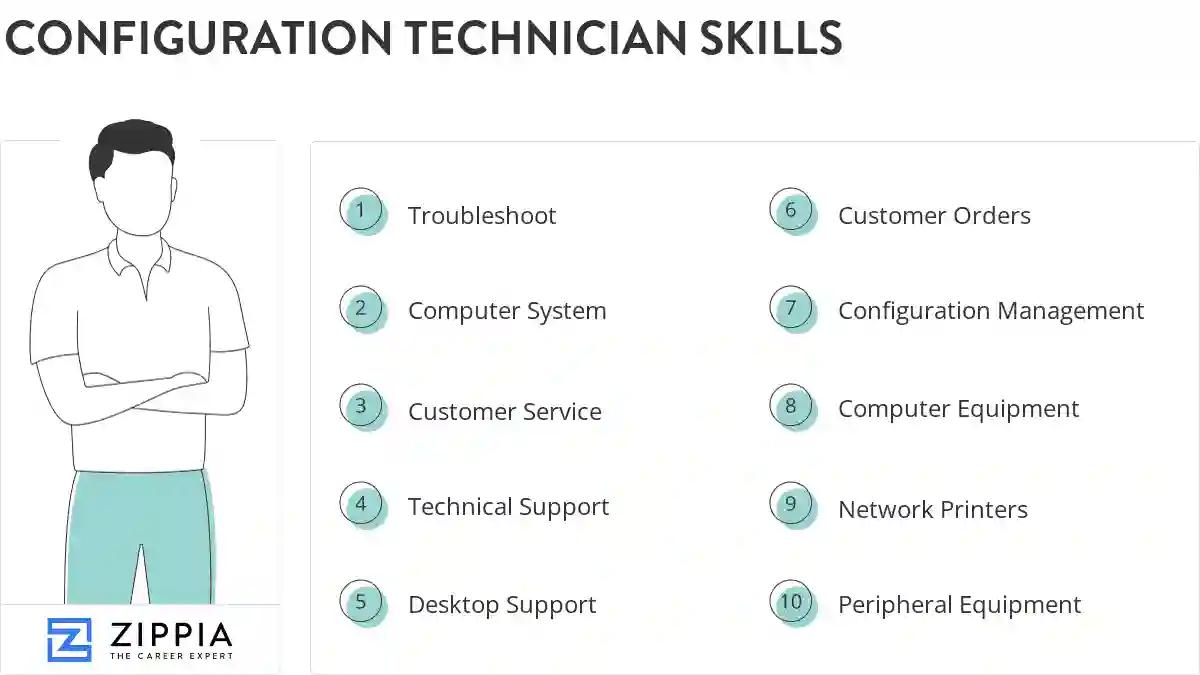
The most important skills for a configuration technician resume and required skills for a configuration technician to have include:
- Troubleshoot
- Computer System
- Customer Service
- Technical Support
- Desktop Support
- Customer Orders
- Configuration Management
- Computer Equipment
- Network Printers
- Peripheral Equipment
- OS
- Switches
- Software Applications
- Routers
- Customers Systems
- Ethernet
- Bios
- Linux
- Mac
- User Data
- POS
- SQL
- PCS
- TCP/IP
- VPN
- Customer Specifications
- DNS
- Software Installation
- SCCM
- Windows Server
- Mobile Device Management
- CPU
- Windows XP
- Configuration Services
- LAN
- ISO
- Windows NT
- Lenovo
- CAD
- Compaq
- Desktop Computers
- Lotus Notes
- User Accounts
- Troubleshot
- Unix
- QA
- Cable Management
- Video Cards
Updated January 8, 2025
