
Automatically apply for jobs with Zippia
Upload your resume to get started.
Data processing technician skills for your resume and career
15 data processing technician skills for your resume and career
1. Data Processing
Data processing refers to the manipulation and collection of data to generate meaningful information by a computer. It may include the transfer of raw data to a machine-legible form, managing the flow of data through the CPU or any memory to an output device, and conversion of output. Any utilization of computers to perform specific functions on data can be incorporated under data processing.
- Provided technical consulting services during development of new curriculum for combined Radio Communications/Data Processing School, including training instructors.
- Performed routine data processing operations; generated hundreds of classified reports in support of Naval Submarine force.
2. Data Entry
Data entry means entering data into a company's system with the help of a keyboard. A person responsible for entering data may also be asked to verify the authenticity of the data being entered. A person doing data entry must pay great attention to tiny details.
- Performed extensive alpha/numeric data entry.
- Instituted an in-depth training program in the proper use of the Data Entry System procedures and forms.
3. QC
Quality control is a set of instructions or procedures to ensure a manufactured product or a service is up to the highest quality standards. This set of quality control criteria are either defined by the clients or the company itself.
- Experienced in checking the quality assurance of full process jobs for the QC Dept.
- Worked in pathogen lab for qualitative and quantitative microbiology testing with QC experience.
4. Mainframe
A mainframe is a high-performance digital computer used by large organizations for mission-critical applications, high transaction volumes, and reliable performance, designed for intensive high-speed computing for large-scale computing purposes that require greater availability and security which a smaller machine cannot offer.
- Monitored the Criminal Justice Information System mainframe computer system for error messages or acknowledgments.
- Operated the Snap I Honeywell DPS6 mainframe performing various operations such as loading software, configuring the system and software updates
5. Management Software
- Implemented and administered Maintenance, Supply, and Personnel management software.
- Loaded and performed quality control of client deliverables into case management software.
6. Electronic Discovery
- Provided assistance with electronic discovery data analysis, processing and productions as needed.
- Consulted with project team regarding best practices for document management, electronic discovery and project workflows.
Choose from 10+ customizable data processing technician resume templates
Build a professional data processing technician resume in minutes. Our AI resume writing assistant will guide you through every step of the process, and you can choose from 10+ resume templates to create your data processing technician resume.7. Trouble Calls
- Processed trouble calls and customer concerns in a timely and efficient manner.
- Analyzed trouble calls and evaluated problems to determine corrective action.
8. LAN
A Local Area Network (LAN) is a collection of devices that are connected in the same building, office, or network to facilitate the transmission of information among devices. The area of LAN depends upon the number of devices connected which vary according to the size of a building or an office. It includes cables, computers, switches, routers, access points, and other networking components.
- Ensured quick resolution of user issues, concerns and ensured proper maintenance of workstations weather LAN or Standalone.
- Project manager in the implementation of a $2m, 500 computer LAN.
9. XP
- Established library of computers with standardized Windows XP or Windows 7 image.
- Transitioned all users from Windows XP Pro to Windows 7 Pro.
10. RAN
RAN stands for "revenue anticipation note," which refers to a practice where an organization (often the government) borrows money to support a specific project. When these funds are then repaid, the money given to the lenders comes from the profits generated by the business originally funded.
- Entered information into DP3 system, ran batch jobs to complete the process.
- Entered client orders into system and ran reports of delinquent customers.
11. Peripheral Equipment
- Performed routine maintenance on peripheral equipment.
- Operate computers and peripheral equipment Department of the Navy
12. Windows NT
- Classified and unclassified network administrator consisting of Windows NT and Windows 95 servers and workstations.
- Maintained Novel and Windows NT networks and AS400.
13. Unix
UNIX is a computer operating system that was first created in the 1960s and has been constantly updated since then. The operating system refers to the set of programs that enable a machine to function. It is a multi-user, multi-tasking device that works on computers, laptops, and servers. UNIX systems also have a graphical user interface (GUI), similar to Microsoft Windows, that makes it simple to use.
- Placed service calls to the vendor for the UNIX operating system associated with MAFIS the Maryland Automated Fingerprint Identification System.
- Conducted UNIX System Administrator and user based training on the Contingency Theater Air Planning System.
14. Computer Operations
- Managed computer operations, including database administration and maintenance as shift supervisor.
- Assigned to various stations as a specialist in computer operations of software and hardware.
15. Software Issues
Software issues are challenges related to the software installed in a computer that can be resolved by troubleshooting, bug fixes, and in extreme cases by a programmer. Software issues can cause the software to lag in the system, malfunction, or affect the entire function of the computer system in general.
- Provided general phone support and on-site access through remote desk/SMS/VM ware for network, hardware and software issues.
- Installed, troubleshot, configured, and repaired windows based software issues.
5 Data Processing Technician resume examples
Build a professional data processing technician resume in minutes. Browse through our resume examples to identify the best way to word your resume. Then choose from 5+ resume templates to create your data processing technician resume.

What skills help Data Processing Technicians find jobs?
Tell us what job you are looking for, we’ll show you what skills employers want.
List of data processing technician skills to add to your resume
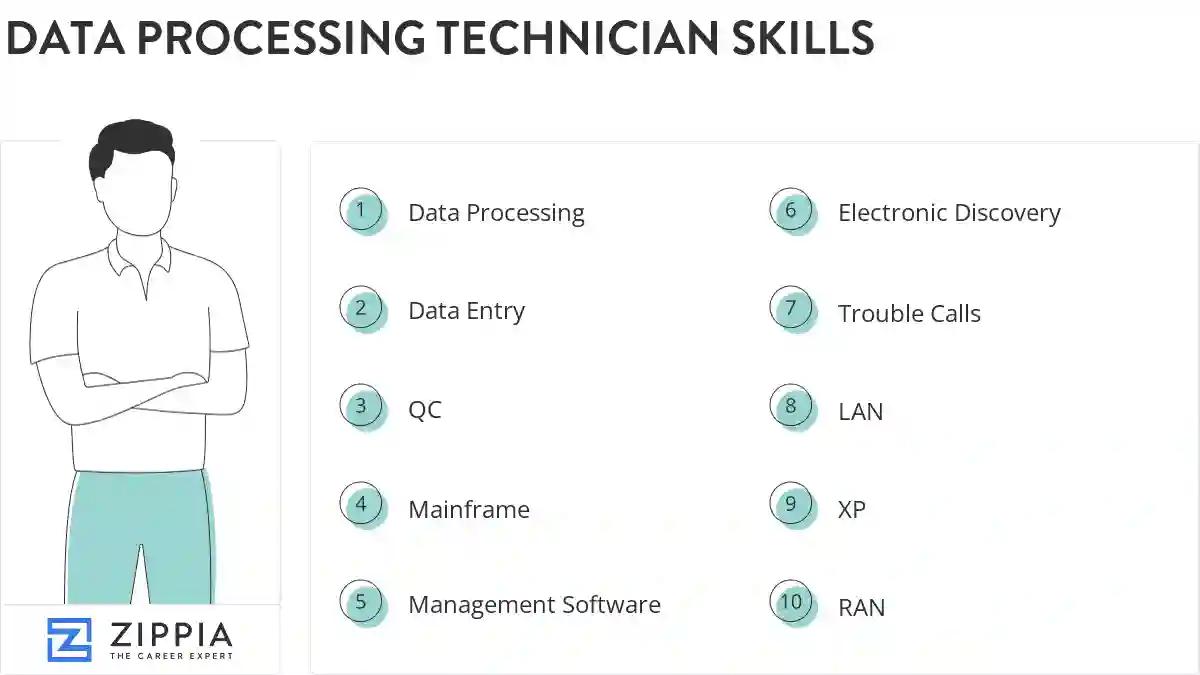
The most important skills for a data processing technician resume and required skills for a data processing technician to have include:
- Data Processing
- Data Entry
- QC
- Mainframe
- Management Software
- Electronic Discovery
- Trouble Calls
- LAN
- XP
- RAN
- Peripheral Equipment
- Windows NT
- Unix
- Computer Operations
- Software Issues
- SQL
- DOD
- User Accounts
- Novell
- Customer Support
- Software Installation
- Symantec
- Technical Assistance
- WAN
- Lotus Notes
- PowerPoint
- IP
- PCS
- Microsoft Exchange
- Windows Server
- Email Accounts
- Software Applications
- AS400
- ADP
- Help-Desk Support
- System Administration
- MVS
- CAD
- Application Support
- Software Upgrades
Updated January 8, 2025
