
Automatically apply for jobs with Zippia
Upload your resume to get started.
Desktop support lead skills for your resume and career
15 desktop support lead skills for your resume and career
1. Desktop Support
- Routed desktop support tickets to appropriate personnel based upon complexity and urgency of ticket.
- Provided senior level technical assistance to desktop support field engineers.
2. PC
- Maintained PC systems, disaster recovery, and telecommunications equipment.
- Provided technical service support in networked PC environment.
3. Troubleshoot
Troubleshooting is the process of analyzing and fixing any kind of problem in a system or a machine. Troubleshooting is the detailed yet quick search in the system for the main source of an issue and solving it.
- Set up, maintain and troubleshoot Microsoft Windows applications; configure printers, scanners, and other peripherals.
- Install software and upgrade memory Image and distribute new PCs Remotely troubleshoot desktop issues Add/remove computers in Active Directory
4. Technical Support
Technical support or tech support are the services provided by any hardware or software company to users. They help in solving the technical difficulties the customers face with their products or services. Moreover, the tech support employees maintain, manage, and repair the IT faults. They are also responsible for resolving the network problems, installing and configuring hardware and software.
- Work directly with software vendors technical support staff to resolve software key-related installation and operations issues.
- Contribute to technical support documentation of resolutions, processes and procedures.
5. VPN
A Virtual Private Network, VPN encrypts a device's internet access, activity, and identity through a secure server, making data theft and third-party traceability more difficult, and increasing the privacy and security of public and private networks, the internet, and Wi-Fi hotspots. The VPN is designed to protect one's system and network from being compromised.
- Supported Remote Users using Wireless and VPN, with SecurID Token.
- Install and support VPN using Citrix and Remote Administrator.
6. Remedy
- Created and refined 6 Remedy reporting metrics allowing the client a view of expectation vs. success rates.
- Utilized Remedy call tracking system to provide 2nd and 3rd level user support.
Choose from 10+ customizable desktop support lead resume templates
Build a professional desktop support lead resume in minutes. Our AI resume writing assistant will guide you through every step of the process, and you can choose from 10+ resume templates to create your desktop support lead resume.7. SCCM
- Deployed a new SCCM server and successfully implemented it for software installs in a controlled environment.
- Utilized SCCM to manage, pull reports, Image and deploy desktop and laptop Images.
8. Citrix
- Managed and supported Windows Server, including Active Directory administration * Configured Citrix connections to the application server.
- Assisted in overall Citrix farm implementation and documentation.
10. Network Printers
- Assist Network Engineers in adding Network Printers to the domain.
- Installed and configured network printers and misc.
11. Software Issues
Software issues are challenges related to the software installed in a computer that can be resolved by troubleshooting, bug fixes, and in extreme cases by a programmer. Software issues can cause the software to lag in the system, malfunction, or affect the entire function of the computer system in general.
- Provided expert level support for iPad and iPhone issues; included troubleshooting software issues, equipment failures, and service issues.
- Served as second tier help desk responding to incident tickets to assist customers with end-user hardware and software issues.
12. SLA
SLA refers to Service-level Agreement. It is an agreement between a customer and the service provider on the quality of service and what standards they must meet.
- Generated reports to management that verified a timely completion within SLA parameters.
- Provided hardware/software installation, trouble resolution, root cause analysis, and SLA maintenance for a large, enterprise-wide LAN/WAN environment.
13. Encryption
- Implemented desktop and laptop encryption applications in NY area offices.
- Maintained desktop encryption keys for all company laptops.
14. Mobile Device Management
- Activate and configure mobile devices in accordance with mobile device management applications.
- Worked with air watch a mobile device management app.
15. Password Resets
- Conduct setup of users accounts in Active Directory, including password resets, disable/enabling accounts and modifications if necessary.
- Unlocked and password reset locked user's domain and email accounts using Active Roles and Active Directory.
5 Desktop Support Lead resume examples
Build a professional desktop support lead resume in minutes. Browse through our resume examples to identify the best way to word your resume. Then choose from 5+ resume templates to create your desktop support lead resume.

What skills help Desktop Support Leads find jobs?
Tell us what job you are looking for, we’ll show you what skills employers want.
What desktop support lead skills would you recommend for someone trying to advance their career?
Kate Marek Ph.D.
Director and Professor, Dominican University
What type of skills will young desktop support leads need?
Joshua Davis Ph.D.
Lecturer, Carleton College
List of desktop support lead skills to add to your resume
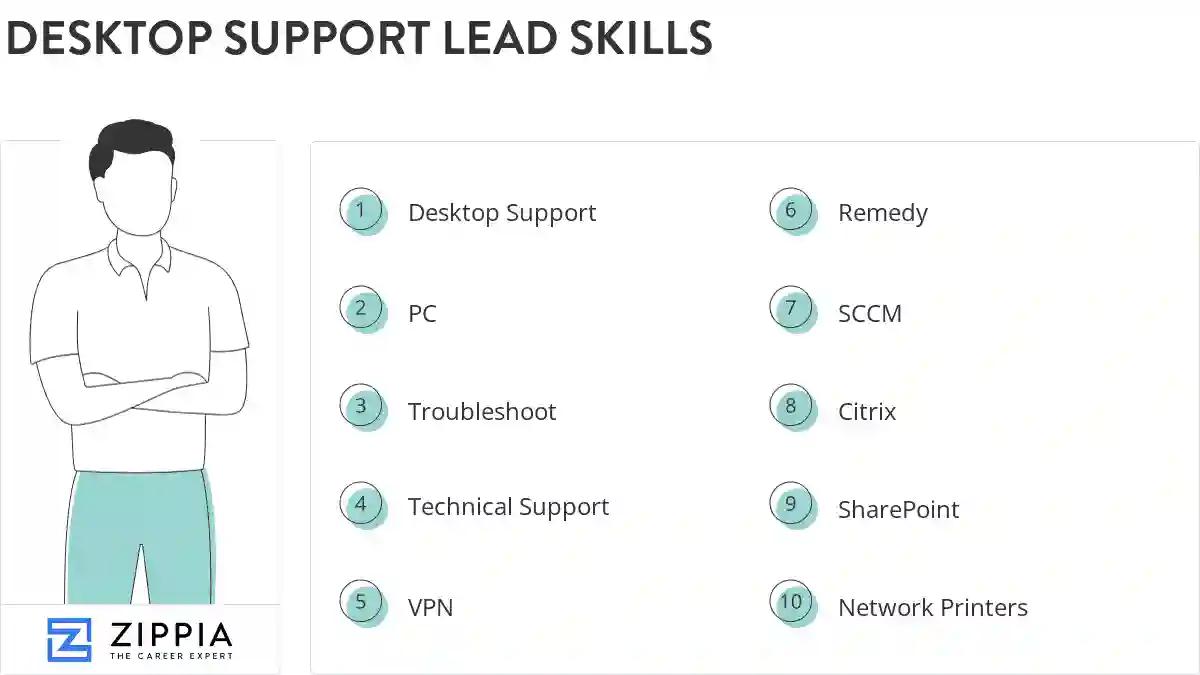
The most important skills for a desktop support lead resume and required skills for a desktop support lead to have include:
- Desktop Support
- PC
- Troubleshoot
- Technical Support
- VPN
- Remedy
- SCCM
- Citrix
- SharePoint
- Network Printers
- Software Issues
- SLA
- Encryption
- Mobile Device Management
- Password Resets
- Windows XP
- Remote Support
- Workstations
- DNS
- Software Problems
- DHCP
- SQL
- Incident Management
- Problem Resolution
- User Support
- Lan
- Remote Desktop
- Network Issues
- Linux
- User Accounts
- Microsoft Exchange
- VoIP
- Help-Desk Support
- Level Support
- TCP/IP
- Windows Server
- Altiris
- Network Connectivity
- Lead Support
- Microsoft Windows
- Lotus Notes
- Application Software
- Customer Issues
- Level Agreements
- Blackberry
- Trouble Tickets
- Software Installation
Updated January 8, 2025
