
Automatically apply for jobs with Zippia
Upload your resume to get started.
Junior computer technician skills for your resume and career
14 junior computer technician skills for your resume and career
1. Troubleshoot
Troubleshooting is the process of analyzing and fixing any kind of problem in a system or a machine. Troubleshooting is the detailed yet quick search in the system for the main source of an issue and solving it.
- Prioritized support requests, working directly with administrators and end-users to accurately troubleshoot and correct software issues.
- Provide hardware/software technical support and troubleshoot with internal and external customers and team members.
2. OS
In technical terms, OS stands for "Operating System". It is a software that is used to run programs on the computer. An operating system acts as a link between the user and the hardware components. Windows, macOS, iOS, Linux are examples of an operating system.
- Installed system software, including Macintosh OS.
- Installed windows os on hard drives.
3. Auto CAD
- Insert PDF underlays into Auto CAD to complete drawings.
4. Software Installation
- Performed memory, hard disk, optical drive, and software installation on customer computers.
- Perform Remote Software Installation of computer programs.
5. Software Issues
Software issues are challenges related to the software installed in a computer that can be resolved by troubleshooting, bug fixes, and in extreme cases by a programmer. Software issues can cause the software to lag in the system, malfunction, or affect the entire function of the computer system in general.
- Provided support to internal users on all hardware and software issues.
- Solved minor software issues (virus and spyware).
6. Mac
A media access control or simply MAC is a network policy that identifies or determines how the data is being transferred in two particular servers through a network cable. The purpose of a MAC protocol is to prevent network or technical issues and simplify transferring the information or data.
- Worked with both Mac and PC computers.
- Worked independently to provide installation, configuration and maintenance of Windows and Mac OSX desktop environments for residential and business customers.
Choose from 10+ customizable junior computer technician resume templates
Build a professional junior computer technician resume in minutes. Our AI resume writing assistant will guide you through every step of the process, and you can choose from 10+ resume templates to create your junior computer technician resume.7. Linux
Linux is a Unix-like operating system. Just like Windows, Mac OS, and IOS, Linux is an operating system used by millions across the globe. Android itself is powered by the Linux operating system. Linux manages all the hardware resources that are associated with your computer. The software is famous because of the protection it grants from viruses, malware, and crashes. The Linux operating system is entirely free and is an open-source software meaning it can be altered by those equipped with the knowledge to code.
- Created FTP server using Linux for the Graphics Department.
- Retained backup system for in-office desktop computers and file servers Became familiar with operating systems such as Windows 98 and Linux
8. Windows XP
- Conducted research on the Internet to resolve Windows XP, application and driver issues.
- Refreshed workstations by re-imaging and installing updated operating system to Windows XP or Windows 7 and configured all applications.
9. Technical Telephone Support
- Provided technical telephone support to correct software and hardware problems.
10. Phone Support
- General Electric Desktop Support Technician Level 1 * Provided warranty-covered phone support for customers of Circuit City and OfficeMax.
- Installed, configured and upgraded operating systems and software using standard business and administrative packages via corporate telephone support system.
11. Computer Equipment
Computer hardware refers to all the physical parts of a computer which include the central processing unit (CPU), mouse, keyboard, data storage, monitor, graphics card, sound card, motherboard, and speakers.
- Tested software and computer equipments prior handing over to customers.
- Traveled to customer locations to service computer equipment including responding to business-critical issues and replacing defective components when necessary.
12. Network Printers
- Resolve problems such as forgotten passwords and network printer installations while escalating higher-level problems to appropriate technicians.
- Network printer specialty configuration, paper tray assignment, Letter-head, envelopes Trouble-shooting computer/network printer issues.
13. Symantec
- Performed virus removal using Symantec End Point Protection Anti-Virus program.
- Administered Symantec Backup Exec System Recover.
14. Technical Assistance
Technical assistance is the non-financial assistance provided by local or international specialists. The purpose of technical assistance is to maximize the project's implementation and quality of the final product. Technical assistance consists of sharing information, the transmission of working knowledge, and other transfer of technical data which would aid the administration, management team and help build the project. The technical assistance focuses on particular needs identified by the beneficiary country and is delivered in the form of missions.
- Provided technical assistance for 12 different companies in the administration of their networks, Microsoft Operating systems and Microsoft Office products.
- Provide technical assistance to Computer Specialists in the areas of input/output control, resource utilization, and monitoring computer processes.

What skills help Junior Computer Technicians find jobs?
Tell us what job you are looking for, we’ll show you what skills employers want.
What skills stand out on junior computer technician resumes?
Robert Rucker
Lecturer, Arizona State University
What soft skills should all junior computer technicians possess?
Robert Rucker
Lecturer, Arizona State University
What hard/technical skills are most important for junior computer technicians?
Robert Rucker
Lecturer, Arizona State University
1. Need to know how to design and implement ( or contribute to) a 'principled' information base (this is a skill my students encounter routinely)
a. Designing an information system requires knowing multiple levels of analysis and synthesis
- I teach the undergrad and graduate levels of database
( I have been teaching' conceptual level modeling --- using Object role modeling ( this is a layer above ER and relational, and has been underappreciated IMO
b. relational level analysis using SQL
implementational level using T-SQL
c. NoSQL using Couchbase and SQL++ and hence the key-value mode of storage
implementation ( SQL + NoSQL seem essential in this world of federated databases !)
d. Of course, there is the underlying substrate of approaching an info task in the first place!
2. For what it's worth, I also teach big data. Again, finding (understanding) and exemplifying the principles underlying the algorithms and data development is crucial.
What type of skills will young junior computer technicians need?
Joshua Davis Ph.D.
Lecturer, Carleton College
What technical skills for a junior computer technician stand out to employers?
Chirag Parikh Ph.D.
Computer Engineering Chair, Grand Valley State University
As a Computer Engineering professor, I would say the job opportunities are tremendous for students out of college as they can venture into hardware field (technical support, hardware engineer, test engineer and much more) as well as software field (software engineer, software developer, software tester and much more). The possibilities are endless.
With COVID and employees working remotely there is still ample opportunity to enhance your technical and interpersonal skills as I believe remote working might stay for a while till things get back to normal.
List of junior computer technician skills to add to your resume
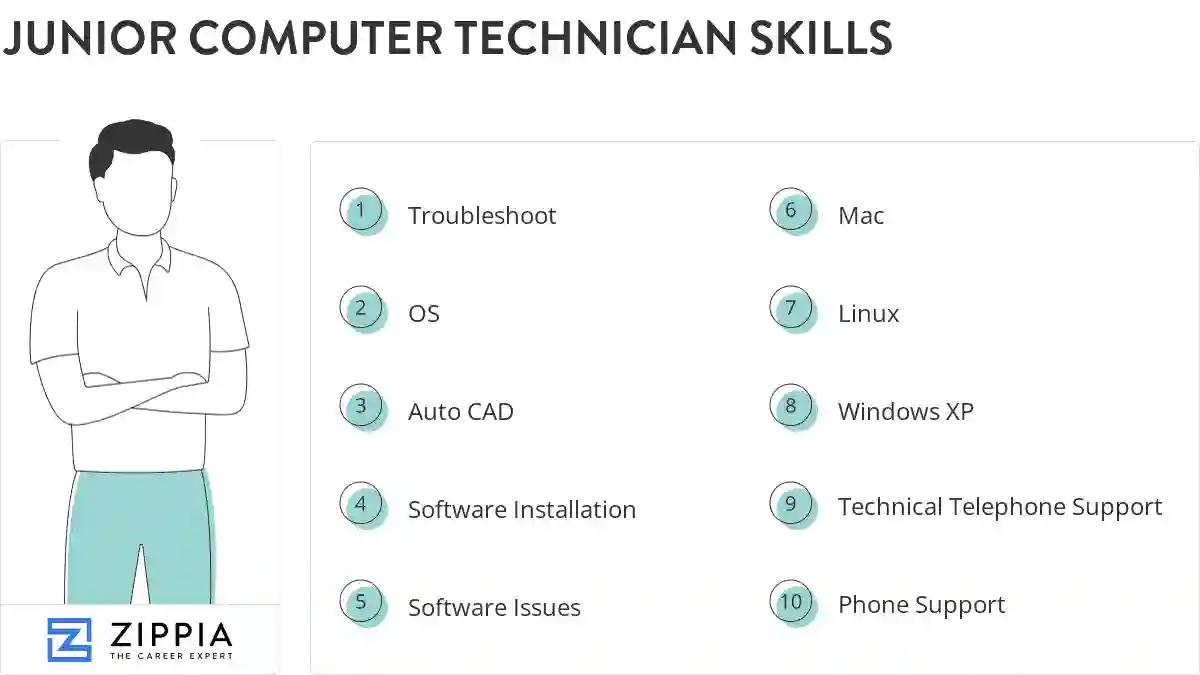
The most important skills for a junior computer technician resume and required skills for a junior computer technician to have include:
- Troubleshoot
- OS
- Auto CAD
- Software Installation
- Software Issues
- Mac
- Linux
- Windows XP
- Technical Telephone Support
- Phone Support
- Computer Equipment
- Network Printers
- Symantec
- Technical Assistance
Updated January 8, 2025
