
Automatically apply for jobs with Zippia
Upload your resume to get started.
Pc refresh technician skills for your resume and career
15 pc refresh technician skills for your resume and career
1. SCCM
- Create collections and advertisements using the SMS and SCCM Consoles.
- Imaged laptops and desktops with prebuilt images, using SCCM to complete the process.
2. User Data
- Install and uninstalling of computer software/systems, peripherals and user data as part of the company's PC replacement project.
- Increased efficiency of migration process by implementing new process for capture of end user data.
3. Desktop Support
- Provided training & technical guidance to other desktop support technicians.
- Provide desktop support for 500 users and upper management in multiple states pre and post installations of computers.
4. Computer System
- Assembled and installed a wide array of computer systems, workstations, printers, and peripheral hardware.
- Maintained asset inventory and responsible for packing and shipping of the several hundred computer systems replaced.
5. Network Connectivity
- Configured systems, ensured network connectivity and installed and tested hardware and software.
- Performed data backups, program installations, email configuration, network connectivity, and general maintenance.
6. Laptop Computers
- Deployed Laptop computers at Denver Federal Center * Installation and configuration of hardware and software * Encrypted company computers.
- Installed new desktop and laptop computers, applying all necessary hardware and software.
Choose from 10+ customizable pc refresh technician resume templates
Build a professional pc refresh technician resume in minutes. Our AI resume writing assistant will guide you through every step of the process, and you can choose from 10+ resume templates to create your pc refresh technician resume.7. Asset Management
Asset management describes the management of assets that are invested on behalf of various industries. It is the process of developing, operating, maintaining, and selling assets for profit and managing the money for individuals and companies through stocks, bonds, and cash equivalents, among other things.Alternatively, asset management enables a business to keep track of all of its assets, helps ensure correct depreciation rates, helps identify and manage risk, and removes ghost assets from business inventory.
- Provide Break/Fix and technical support, asset management support; hardware disposal assistance, and patch management updates.
- Shipped new computers, and processed returned computers in the asset management system.
8. Troubleshooting Assistance
- Provided troubleshooting assistance and ticket resolution for computer users.
- Provide complex troubleshooting assistance and ticket resolution for computer users.
9. PC Refresh
- Provided technical and application support related to PC refresh and data-migration initiatives.
- Received calls and email pertaining to issues with scheduling conflicts and problems which occurred as a result of the PC refresh.
10. Network Printers
- Installed and configured all required software and network printers.
- Mapped network printers and set their default.
11. Software Applications
A software application is any computer program developed and used by consumers, such as Microsoft's suite of products (Office, Excel, Word, PowerPoint, Outlook, etc.), Internet browsers such as Firefox, Safari, and Chrome, or browser add-ons that Defendant preinstalls or causes to be preinstalled onto a Covered Product. The software application is designed to help the user perform specific tasks - personal, educational, and business functions.
- Install and maintain software applications, provide basic troubleshooting and diagnosis of hardware and software problems.
- Verify correct functioning of all attached hardware and key software applications.
12. Workstations
- Completed preventative maintenance, including checking and cleaning of workstations, printers and peripherals.
- Installed proper OS updates to ensure Workstations have full functionality for end user.
13. Troubleshoot
Troubleshooting is the process of analyzing and fixing any kind of problem in a system or a machine. Troubleshooting is the detailed yet quick search in the system for the main source of an issue and solving it.
- Install and troubleshoot software RSA token for user and verify user s able to connect through Juniper Network connect.
- Managed a team of techs to handle the checkout process and troubleshoot any issues with PCs or Process.
14. Remote Desktop
- Used ServiceNow ticketing system, Citrix, LogMeIn Remote Desktop, RSA SecureID.
- Support provided via desk-side and remote access through utilizing Microsoft Remote Desktop and Motorola Timbuktu Remote access software.
15. Windows XP
- Uninstalled old Dell PCs running Windows XP and replaced them with updated Dell PCs running Windows 7.
- Install, Setup & configure Desktop PC's with Windows & to replace older Windows XP systems.
5 PC Refresh Technician resume examples
Build a professional pc refresh technician resume in minutes. Browse through our resume examples to identify the best way to word your resume. Then choose from 5+ resume templates to create your pc refresh technician resume.

What skills help PC Refresh Technicians find jobs?
Tell us what job you are looking for, we’ll show you what skills employers want.
What type of skills will young pc refresh technicians need?
Joshua Davis Ph.D.
Lecturer, Carleton College
What technical skills for a pc refresh technician stand out to employers?
Chirag Parikh Ph.D.
Computer Engineering Chair, Grand Valley State University
As a Computer Engineering professor, I would say the job opportunities are tremendous for students out of college as they can venture into hardware field (technical support, hardware engineer, test engineer and much more) as well as software field (software engineer, software developer, software tester and much more). The possibilities are endless.
With COVID and employees working remotely there is still ample opportunity to enhance your technical and interpersonal skills as I believe remote working might stay for a while till things get back to normal.
What soft skills should all pc refresh technicians possess?
Robert Rucker
Lecturer, Arizona State University
List of pc refresh technician skills to add to your resume
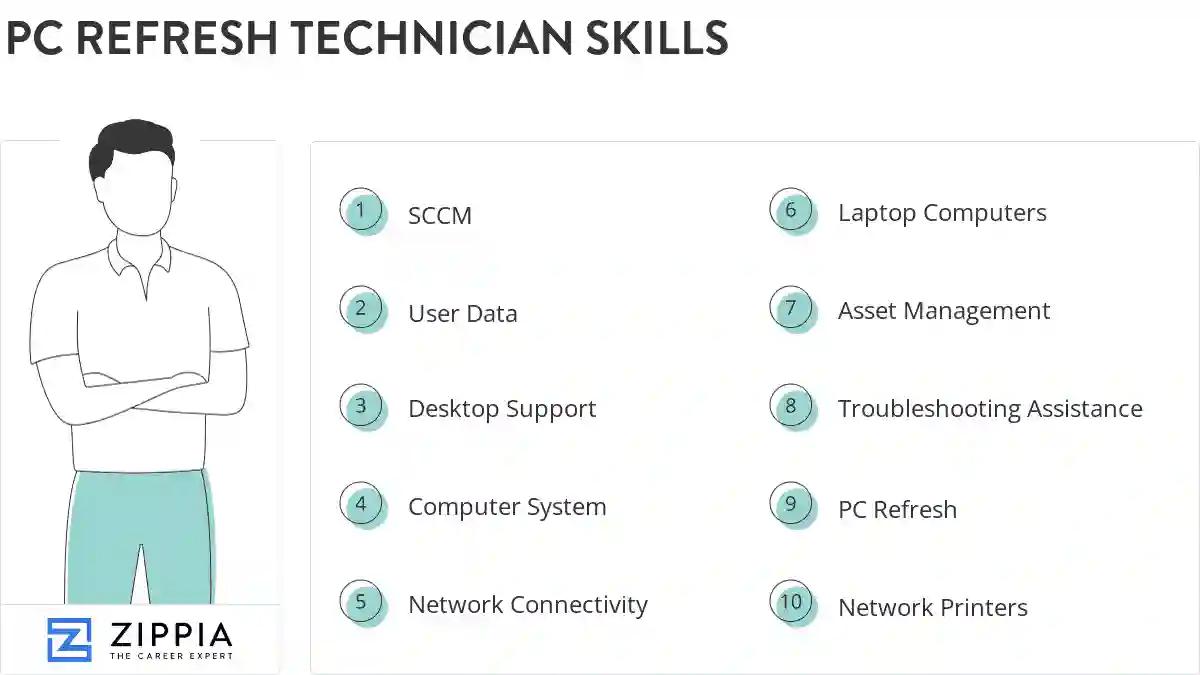
The most important skills for a pc refresh technician resume and required skills for a pc refresh technician to have include:
- SCCM
- User Data
- Desktop Support
- Computer System
- Network Connectivity
- Laptop Computers
- Asset Management
- Troubleshooting Assistance
- PC Refresh
- Network Printers
- Software Applications
- Workstations
- Troubleshoot
- Remote Desktop
- Windows XP
- OS
- IP
- Refresh Project
- Data Migration
- Usmt
- VPN
- Software Issues
- Lotus Notes
- Software Installation
- Management System
- POS
- User Profile
- PST
- SharePoint
- Win7
- Lenovo
- Hard Drive
- Pc Support
- Peripheral Devices
- Desktop Computers
- Migration Process
- SLA
- Cable Management
- Asset Inventory
- Level Support
- Blackberry
Updated January 8, 2025
