
Automatically apply for jobs with Zippia
Upload your resume to get started.
Security technician skills for your resume and career
15 security technician skills for your resume and career
1. Customer Service
Customer service is the process of offering assistance to all the current and potential customers -- answering questions, fixing problems, and providing excellent service. The main goal of customer service is to build a strong relationship with the customers so that they keep coming back for more business.
- Delivered exceptional customer service to our customers while also being aware of my responsibility to maximize our company's profit.
- Directed all aspects of customer service relationships in the Home/Business Maintenance or Security industries.
2. CCTV
- Specialized in Electronic Security o Regularly designed access control and CCTV systems to meet every customer's unique requirements.
- Performed service/installation of access control, intrusion alarm and CCTV cameras and other security-related devices.
3. Control Systems
- Monitored secure areas utilizing visual monitoring control systems and sounded alarms if violators were detected.
- Participate in training programs to maintain certification in various access control systems.
4. Test Equipment
Test equipment is a mechanical tool or a device which is used create signals and gather response from an electronic device under test. It helps in detecting any faults in the device and it also proves the proper operation of the electronic device.
- Test equipment to ensure functionality and demonstrate proper usage for customer.
- Experienced in the use of various electronic test equipment, troubleshooting, and correcting problems or malfunctions.
5. Patrol
- Patrol assigned KBR areas ensuring facility and personnel safety and security; provide escort services.
- Patrol and maintain security at Metro Transit Authorities Nestor facility.
6. Troubleshoot
Troubleshooting is the process of analyzing and fixing any kind of problem in a system or a machine. Troubleshooting is the detailed yet quick search in the system for the main source of an issue and solving it.
- Performed service calls to troubleshoot any interruptions or device replacements.
- Identified, troubleshoot and resolved hardware, software, and basic network related problems encountered by end-users of the network.
Choose from 10+ customizable security technician resume templates
Build a professional security technician resume in minutes. Our AI resume writing assistant will guide you through every step of the process, and you can choose from 10+ resume templates to create your security technician resume.7. IP
An IP - Internet Protocol is a unique number assigned to all devices connected to information technology, such as printers, routers, modems, etc. Each device or domain that connects to the Internet is assigned an IP address, and as packets are directed to the IP address attached to them, the data goes where it is needed. IP addresses are the identifier used to send information between devices on a network. They contain location information and make devices accessible for communication.
- Designed, installed and configured IP based telephone/intercom systems and educate administrators on system features.
- Install and Program security/camera systems-Set IP addresses for specific systems and teach customers how to operate systems.
8. Technical Support
Technical support or tech support are the services provided by any hardware or software company to users. They help in solving the technical difficulties the customers face with their products or services. Moreover, the tech support employees maintain, manage, and repair the IT faults. They are also responsible for resolving the network problems, installing and configuring hardware and software.
- Perform reporting and administrative functions for internal database and customer tracking, as well as providing technical support and feedback
- Provided daily technical support for e-mail, network connectivity, telecommunications, peripheral equipment, and system maintenance.
9. Linux
Linux is a Unix-like operating system. Just like Windows, Mac OS, and IOS, Linux is an operating system used by millions across the globe. Android itself is powered by the Linux operating system. Linux manages all the hardware resources that are associated with your computer. The software is famous because of the protection it grants from viruses, malware, and crashes. The Linux operating system is entirely free and is an open-source software meaning it can be altered by those equipped with the knowledge to code.
- Edit key files in VI (Linux text editor), manage users and groups.
- Maintained DNS and audited servers running Red Hat Enterprise Linux (RHEL).
10. Patients
- Monitored at-risk patients one-on-one in a medical hospital environment * Deescalated problematic behavior to maintain a safe and calm setting
- Conducted internal security checks and monitored patients to detect unusual or harmful behavior.
11. Ladders
- Job required driving, walking, and climbing stairs and ladders.
- Worked from ladders, scaffolds, and roofs to install, maintain or repair electrical wiring, equipment, and fixtures.
12. DOD
Definition of Done (DoD) is a set of deliverables that are needed to devise software. These deliverables are valuable to the system and can be exemplified by writing code, coding comments, unit testing, integration testing, design documents, release notes, and so on.
- Installed and monitored defensive measures, and ensured availability and integrity of DoD assets.
- Screened candidates for access eligibility using DoD Policy.
13. Intrusion Detection Systems
- Conducted weekly vulnerability assessment scans utilizing Cisco Internet Security Systems (ISS) Scanner and Cisco Intrusion Detection System.
- Monitor intrusion detection systems and intrusion prevention systems for a global network.
14. Lenel
- Assisted the Eastern Region Security Manager with LENEL trouble tickets.
- Generate reports and provide Lenel photographs for Microsoft Security Investigations Department, Microsoft Commute Department, and Microsoft Human Resources Department.
15. Physical Security
Physical security refers to the services of protection offered by guards, surveillance, barriers, access controls, or other specially designed security systems. All of these aforementioned security systems are an integral part of physical security and ensure the safety of not just people but also of physical property including valuable items, resources, and more. It further includes the provision of security against potential intruders, thefts, and even attacks.
- Planned and developed physical security program for various environment.
- Serviced and maintained new and existing physical security devices.
5 Security Technician resume examples
Build a professional security technician resume in minutes. Browse through our resume examples to identify the best way to word your resume. Then choose from 5+ resume templates to create your security technician resume.

What skills help Security Technicians find jobs?
Tell us what job you are looking for, we’ll show you what skills employers want.
List of security technician skills to add to your resume
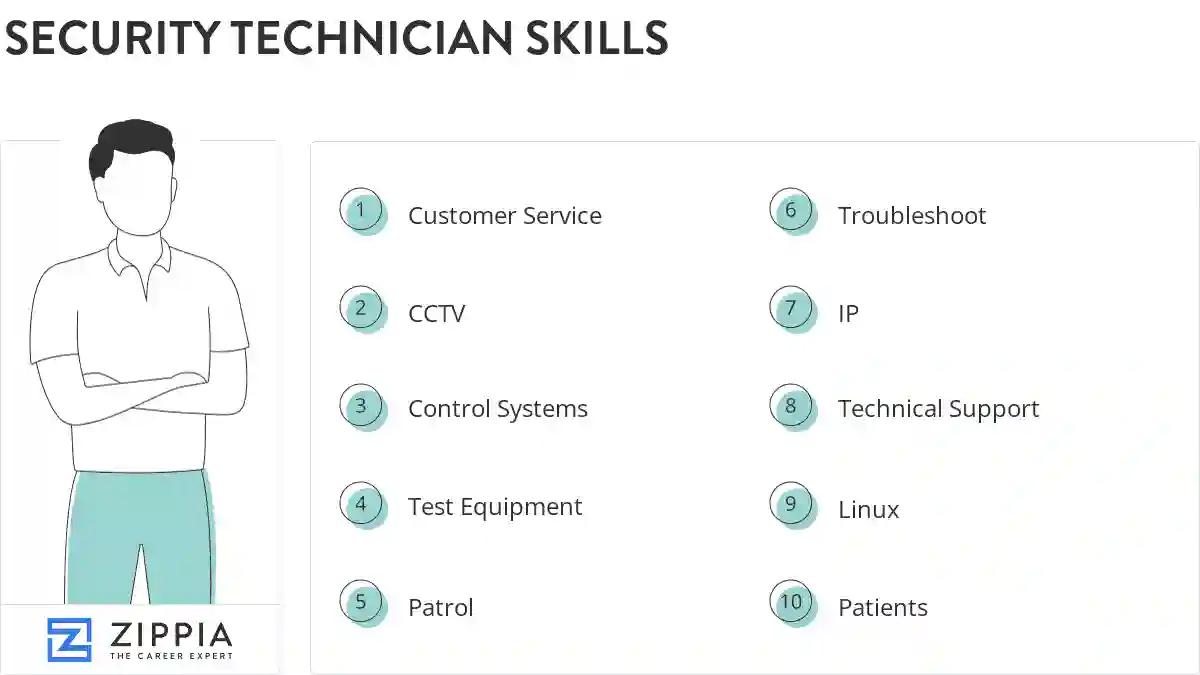
The most important skills for a security technician resume and required skills for a security technician to have include:
- Customer Service
- CCTV
- Control Systems
- Test Equipment
- Patrol
- Troubleshoot
- IP
- Technical Support
- Linux
- Patients
- Ladders
- DOD
- Intrusion Detection Systems
- Lenel
- Physical Security
- Unix
- Hand Tools
- Security Cameras
- Security Equipment
- Law Enforcement
- Repair Security Systems
- Switches
- Workstations
- Incident Reports
- Network Security
- Encryption
- PC
- Card Readers
- Security Policies
- Emergency Situations
- Control Panels
- Video Surveillance
- Door Contacts
- Intercom Systems
- Service Calls
- Honeywell
- Security Industry
- Security Issues
- Amag
- Circuit Television
- Provide Customer Support
- Security Devices
- Door Locks
- Camera Systems
- Motion Detectors
- Motion Sensors
- Customer Support
Updated January 8, 2025
