
Automatically apply for jobs with Zippia
Upload your resume to get started.
Senior administrative technician skills for your resume and career
15 senior administrative technician skills for your resume and career
1. Infrastructure
Infrastructure includes the organizational and physical structures needed to run an area or a society smoothly. It is a group of basic facilities required for any society or firm to run sustainably and efficiently. The infrastructural system is a high investing area and helps majorly in flourishing the economy and prosperity of a country. It is an underlying system needed for ensuring the safety and comfort of the public and to run a country smoothly. All the tasks needed to be performed for a flourishing economy and a happy and healthy public are included in infrastructure.
- Monitor and maintain the Classified and Unclassified networks Windows infrastructure and security posture at Strategic Weapons Facility Pacific (SWFPAC).
- Lead a five engineer team providing top level support and working on long term projects and managed IT infrastructure.
2. SCCM
- Configured and performed companywide upgrade to Windows 7/Office 2010 from Windows XP/Office 2003 Via SCCM.
- Utilized VMware to perform application package testing and SCCM Development.
3. Troubleshoot
Troubleshooting is the process of analyzing and fixing any kind of problem in a system or a machine. Troubleshooting is the detailed yet quick search in the system for the main source of an issue and solving it.
- Build, troubleshoot, and repair Local Area Networks and Wide Area Networks connections.
- Modify, restore, and troubleshoot Exchange Server Email issues as arise.
4. SQL
- Loaded the data using the SQL loader, Imports & Export data between systems.
- Performed database administration activities including database monitoring, space management, performance tuning, SQL tuning, database backup and recover.
5. Customer Service
Customer service is the process of offering assistance to all the current and potential customers -- answering questions, fixing problems, and providing excellent service. The main goal of customer service is to build a strong relationship with the customers so that they keep coming back for more business.
- Provide accurate and timely assistance to all external and internal contacts to deliver responsive customer service.
- Deliver exceptional customer service, complying with all business programs and initiatives.
6. Windows Server
- Migrated from Windows Server 2000 to 2003.
- Manage, implement and support Windows server 2000, 2003, 2008 and 2012.
7. Data Entry
Data entry means entering data into a company's system with the help of a keyboard. A person responsible for entering data may also be asked to verify the authenticity of the data being entered. A person doing data entry must pay great attention to tiny details.
- Maintain efficient and accurate work flow, created guidelines, perform training with medical bill data entry.
- Complete administrative tasks including records retrieval, data entry, quality review and production support.
8. IP
An IP - Internet Protocol is a unique number assigned to all devices connected to information technology, such as printers, routers, modems, etc. Each device or domain that connects to the Internet is assigned an IP address, and as packets are directed to the IP address attached to them, the data goes where it is needed. IP addresses are the identifier used to send information between devices on a network. They contain location information and make devices accessible for communication.
- Experience in TCP/ IP services like DNS, DHCP, FTP, Https and Print services.
- Developed cut over plan for IP phone & CRM implementation with various teams.
9. Linux
Linux is a Unix-like operating system. Just like Windows, Mac OS, and IOS, Linux is an operating system used by millions across the globe. Android itself is powered by the Linux operating system. Linux manages all the hardware resources that are associated with your computer. The software is famous because of the protection it grants from viruses, malware, and crashes. The Linux operating system is entirely free and is an open-source software meaning it can be altered by those equipped with the knowledge to code.
- Maintained and supported the installation and configuration of resort-wide LAN and Linux server to provide inter-office email and shared Internet access
- Illustrated proficiency in embedded software protocols on Linux and Windows platforms used to Customize network server environments.
10. Microsoft Windows
- Trained personnel on the proper operation and configuration of Microsoft Windows Operating systems.
- Monitored and administered technical assistance to Microsoft Windows and Macintosh workstations through a web based Help Desk ticketing system.
11. Remedy
- Coordinated dispatch routes using Remedy, and managed Ameritech.net transports and 15 other ISPs.Professional Experience: (Cont'D)
- Respond to prioritized requests from customers using Remedy ticketing system.
12. Tcp Ip
- Supported and maintained TCP IP Protocols, IP Routing, LAN/WAN, OSI Models and Layers,
- Configured Network TCP IP, RSA, and ILO address for 500 plus servers.
13. Travel Arrangements
- Travel arrangements for a project team of eleven engineers, duties also included: processing expense reports and creating travel itineraries.
- Assist and coordinate agenda and travel arrangements for VP and Director when visiting site.
14. Technical Documentation
Technical documentation means any documentation that gives a functional, architectural, and handling description of a technical product or a product in use or development.
- Assisted with technical and non-technical documentation editing and control.
- Provide simplified technical documentation for end users to perform daily tasks.
15. Virtualization
- Increased server virtualization by 15% as well as increased rack density to realize further operational cost savings.
- Work closely with networking and virtualization team to ensure all physical and virtual servers remain online 24/7.

What skills help Senior Administrative Technicians find jobs?
Tell us what job you are looking for, we’ll show you what skills employers want.
List of senior administrative technician skills to add to your resume
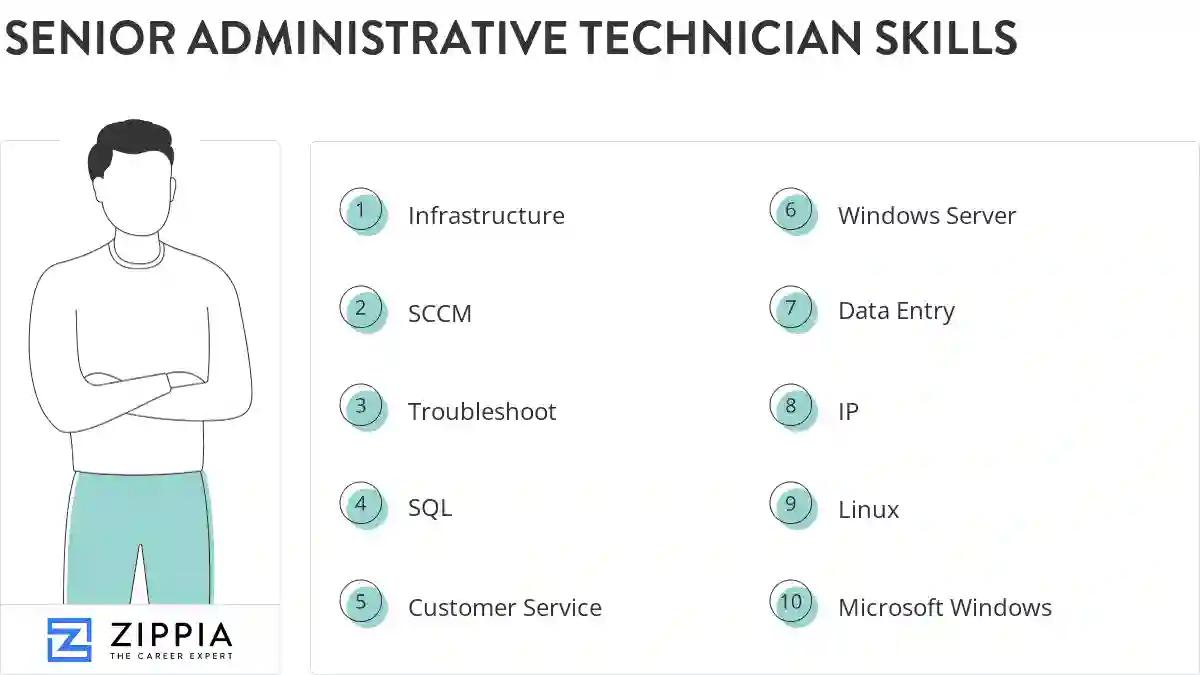
The most important skills for a senior administrative technician resume and required skills for a senior administrative technician to have include:
- Infrastructure
- SCCM
- Troubleshoot
- SQL
- Customer Service
- Windows Server
- Data Entry
- IP
- Linux
- Microsoft Windows
- Remedy
- Tcp Ip
- Travel Arrangements
- Technical Documentation
- Virtualization
- VPN
- ERP
- Remote Desktop
- DNS
- Provisioning
- HTML
- Logistics
- PC
- XML
- IIS
- JavaScript
- User Training
- Administrative Functions
- Apple
- DR
- PeopleSoft
- PeopleTools
- Desktop Support
- SharePoint
- International Travel
- Cloud
- Administrative Tasks
- Word Processing
- Hippa
- BI
- LDAP
- Production Environment
Updated January 8, 2025
