
Automatically apply for jobs with Zippia
Upload your resume to get started.
Technology lead and onsite coordinator skills for your resume and career
15 technology lead and onsite coordinator skills for your resume and career
1. Java
Java is a widely-known programming language that was invented in 1995 and is owned by Oracle. It is a server-side language that was created to let app developers "write once, run anywhere". It is easy and simple to learn and use and is powerful, fast, and secure. This object-oriented programming language lets the code be reused that automatically lowers the development cost. Java is specially used for android apps, web and application servers, games, database connections, etc. This programming language is closely related to C++ making it easier for the users to switch between the two.
- Involved the development of new Java Batch application using Batch Framework and development of two shell scripts under Linux platform.
- Developed Front End Screens using Harness and Sections rules, validations using Java Script, HTML Rules.
2. SQL Server
- Created many ETL jobs using SQL Server Integration Services (SSIS) 2005.
- Involved in the migration of Webserver, SQL Server environments.
3. C++
C++ is a general-purpose programming language that is used to create high-performing applications. It was invented as an extension to the C language. C++ lets the programmer have a high level of domination over memory and system resources. C++ is an object-oriented language that helps you implement real-time issues based on different data functions
- Design and Implement Jedi Mono Print Features in C++.
- Design and Implement SP and related features in Unmanaged C++ Integrating PDF1.7 solution vendor code to Jedi Firmware Code Base.
4. Data Warehouse
Data warehouse, often abbreviated as either DW or DWH is a system used in computing for data analysis as well reporting. The DW is also considered to be an integral component of business intelligence as they also provide storage facilities for both real-time and historical data. ETL and ELT are the two driving forces behind a data warehouse system.
- Maintain the overall performance of the data warehouse by fixing the ETL and HANA components.
- Worked in Proof of Concept for using the right Teradata Utilities for ETL Process in Building the WellPoint Data warehouse.
5. Unix
UNIX is a computer operating system that was first created in the 1960s and has been constantly updated since then. The operating system refers to the set of programs that enable a machine to function. It is a multi-user, multi-tasking device that works on computers, laptops, and servers. UNIX systems also have a graphical user interface (GUI), similar to Microsoft Windows, that makes it simple to use.
- Involved with the support activities for the platform and the re-designed ETL codes and UNIX scripts.
- Project Location Offshore Environment Oracle SQL Report writer, PL/SQL Functions, UNIX Shell Scripting
6. Architecture
- Designed the Architecture Review Board approval document for technical design approval.
- Designed new SQL database architecture to allow parallel loading of 35 sources thus boosting the performance of Data transformation.
Choose from 10+ customizable technology lead and onsite coordinator resume templates
Build a professional technology lead and onsite coordinator resume in minutes. Our AI resume writing assistant will guide you through every step of the process, and you can choose from 10+ resume templates to create your technology lead and onsite coordinator resume.7. Code Reviews
Code review is a methodical examination of computer source code designed to find and correct errors that go unnoticed in the early stages of development. This generally improves the value of the software and the skills of the developer. Code reviews are important because they improve code quality and make your codebase more stable. They also help programmers build relationships and work together more effectively. Typically, a code review process is performed before merging it with the codebase.
- Perform a Code Review and functionality Validity.
- Conduct technical code reviews for the developers in implementation team and manage the tasks of all the ABAP developers.
8. XML
XML is a medium for storing and transporting data that is independent of software and hardware. XML stands for eXtensible Markup Language. XML, like HTML, is a markup language that was created to store and transport data. It was created with the intention of being self-descriptive. There are no predefined tags in the XML language. Another feature is that XML is extensible.
- Defined the XML Schema for transfer of messages between Web Services Client and Web Services application.
- Implemented external partner Web services call in ACE XML gateway and Layer 7.
9. UAT
UAT stands for user acceptance testing, and it is the last phase in the software testing process that determines whether the software is fit for the purpose it was built or not. UAT checks two main things; whether the software fulfills the business requirements and can it be used by the end-users. It is the final and most critical step in the testing stages and it determines whether the software should be introduced in the market or not.
- Coordinated and worked on the quality center tool to run the UAT test scripts and to raise the defects.
- Implemented different test cycles - unit, integration, load, UAT, BAT and end to end testing.
10. ETL
- Gathered business and technical requirements from business and IT domains experts and documented the functional design, analysis and ETL specification.
- Analyze and Identify the Tables/Views, Procedures and ETL objects that need to be migrated and prepared necessary Documentation.
11. DB2
The DB2, known as the Relational Database Management System, is a type of procedure developed by IBM to run and operate software applications such as Windows, Unix, and the Linux System. This type of system is designed mainly for IBM but was innovated to run in various operating systems. The main feature of the DB2 is to handle and manage a big chunk of data while allowing the users to enter the database engine without any problem.
- Developed Data Warehousing DB2 multidimensional fact logical and physical databases based on Star Schema.
- Function as DB2 development DBA/Subject matter expert and perform general administration.
12. Windows XP
- Project: - 4 Title: ICD-9 - ICD-10 Accelerator Operating System: Windows XP
- Lead project to update 1,400+ Windows XP machines to Windows 7 throughout the US and Canada before company transitioned to SAP.
13. JavaScript
- Implemented JavaScript frameworks Require.js to increase modularity of the code.
- Designed dynamic web pages with cross browser compatibility using Html, Css, JQuery and JavaScript.
14. COBOL
- Mentored freshmen through experience on COBOL, JCL, VSAM, DFSORT and ICETOOL on mainframe platforms to create well-written codes.
- Modified and tested COBOL and CICS programs and JCL codes per the requests of business departments.
15. Test Cases
- Develop, review and update test cases in ApTest manager for changing requirements.
- Involved in writing Unit and Integration test cases.
5 Technology Lead And Onsite Coordinator resume examples
Build a professional technology lead and onsite coordinator resume in minutes. Browse through our resume examples to identify the best way to word your resume. Then choose from 5+ resume templates to create your technology lead and onsite coordinator resume.

What skills help Technology Lead And Onsite Coordinators find jobs?
Tell us what job you are looking for, we’ll show you what skills employers want.
What soft skills should all technology lead and onsite coordinators possess?
Travis Mandel Ph.D.
Assistant Professor, University of Hawaii at Hilo
Another one is asking the right questions. Imagine you are dropped into a huge codebase and asked to add a new feature (very common!). There's no time to understand everything that is going on, but on the other hand, you need to understand enough of the code to do your task effectively, which involves asking questions. A failure to ask questions will likely result in you wasting a huge amount of time working on something that is ultimately not useful, for instance, re-implementing a complex function that already exists somewhere in the codebase.
List of technology lead and onsite coordinator skills to add to your resume
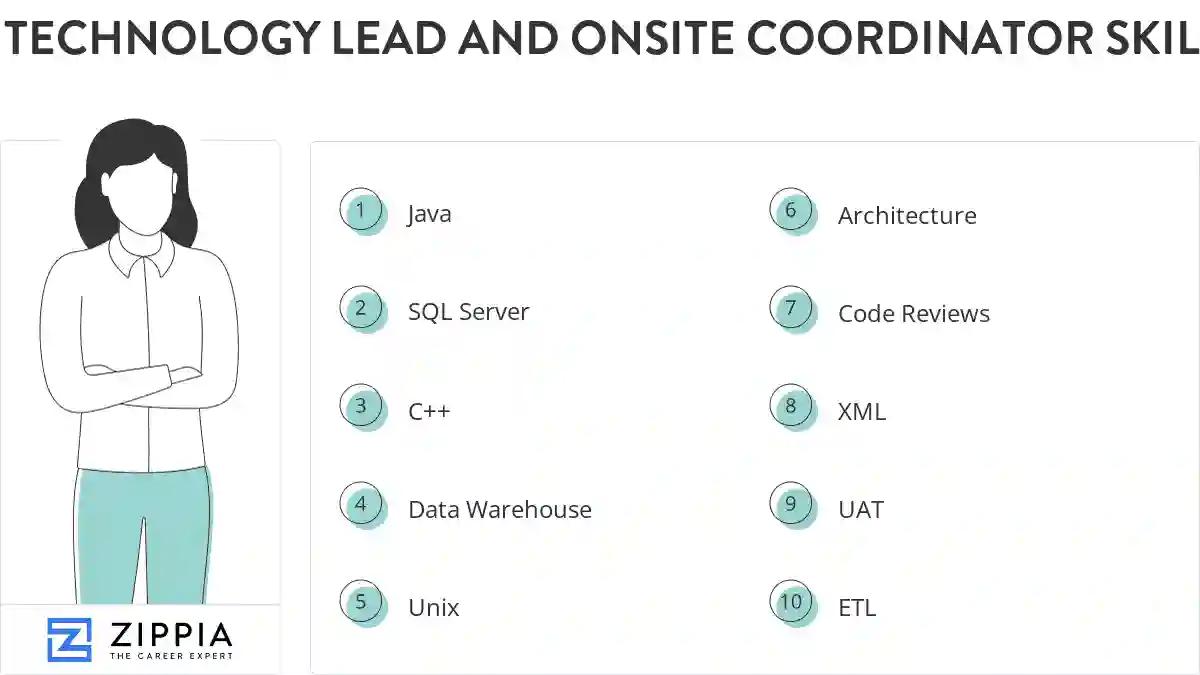
The most important skills for a technology lead and onsite coordinator resume and required skills for a technology lead and onsite coordinator to have include:
- Java
- SQL Server
- C++
- Data Warehouse
- Unix
- Architecture
- Code Reviews
- XML
- UAT
- ETL
- DB2
- Windows XP
- JavaScript
- COBOL
- Test Cases
- QA
- Informatica
- Mainframe
- HTML
- Level Design
- User Interface
- Technical Specifications
- MVC
- JQuery
- JCL
- Onshore
- PL/SQL
- Agile Methodology
- J2EE
- SharePoint
- User Acceptance
- SDLC
- CSS
- Linux
- C Net
- JSP
- Ajax
- Management System
- WCF
- Project Involves
- TFS
- Business Analysts
- CICS
- MQ
- SVN
- Production Issues
- Project Plan
- Struts
Updated January 8, 2025
