
Automatically apply for jobs with Zippia
Upload your resume to get started.
Computer laboratory attendant skills for your resume and career
15 computer laboratory attendant skills for your resume and career
1. Cleanliness
- Followed food safety procedure in the preparation of food and beverages Set up attractive food displays, and maintained cleanliness.
- Key Accomplishments: Maintained consistent amount of supplies of reagents and all laboratory equipment, ensuring functionality and cleanliness.
2. Front Desk
- Sit at front desk and welcome the visitors.
- Managed front desk rectifying patrons problems Assisted patrons with computer lab technology and resources as requested
3. Computer Software
- Assisted students with troubleshooting/resolving computer software and hardware issues, improved end-user competency, and maintained Internet connectivity.
- Assisted students with technical issues including equipment configuration and computer software questions.
4. Troubleshoot
Troubleshooting is the process of analyzing and fixing any kind of problem in a system or a machine. Troubleshooting is the detailed yet quick search in the system for the main source of an issue and solving it.
- Aided supervisors and network administrators to remotely troubleshoot and correct network and hardware issues.
- Utilized natural technical and mechanical skills to troubleshoot printer and computer malfunctions and perform both repairs and updates.
5. Computer Problems
- Assisted students with computer problems including IT/software/hardware Assisted with library database searches for academic publications Repaired and reported malfunctioning printers and computers
- Analyzed and reported computer problems.
6. Software Problems
- Prepare trouble log entries for hardware and software problems.
- Identified software problems and experimented with solutions to overcome these problems.
Choose from 10+ customizable computer laboratory attendant resume templates
Build a professional computer laboratory attendant resume in minutes. Our AI resume writing assistant will guide you through every step of the process, and you can choose from 10+ resume templates to create your computer laboratory attendant resume.7. Software Programs
- Assisted students with software programs and computer operations.
- Handled technical troubleshooting within a college environment, including software programs, and data recovery.
8. Semester
A semester is a calendar that divides an academic year into sections of fifteen to eighteen weeks. The time system adopted by schools and countries differ. While the half system divides the academic year into two sessions, the quarter system divides the academic year into four sessions.
- Asked to return for 2 additional semesters due to proven troubleshooting abilities and overall performance.
- Trained approximately 3 new employees per semester on work processes.
9. Computer System
- Documented blood when it arrived to be entered into the computer system and processed accordingly.
- Assisted students with problems with their computer systems.
10. Computer Lab Equipment
- Maintained the upkeep and proper functioning of all computer lab equipment and reported technical issues to the appropriate personnel.
- Assisted students with practical exercises to advance their understanding and command of Spanish Maintained and updated computer lab equipment
11. Windows
Windows is a chain of operating systems that controls a computer and is developed by Microsoft. Every version of Windows consists of GUI (graphical user interface), with a desktop that allows the user to open their files.
- Maintained campus-wide student computer lab hardware including Mac and Windows desktops and laptops, plotters, printers, and servers.
- Troubleshooted both Windows and Mac operating systems, printers, networking, and mobile platforms.
12. Software Issues
Software issues are challenges related to the software installed in a computer that can be resolved by troubleshooting, bug fixes, and in extreme cases by a programmer. Software issues can cause the software to lag in the system, malfunction, or affect the entire function of the computer system in general.
- Supported patrons with both hardware and software issues in the computer labs.
- Promote technical quality by trouble-shoot equipment hardware and software issues.
13. Technical Support
Technical support or tech support are the services provided by any hardware or software company to users. They help in solving the technical difficulties the customers face with their products or services. Moreover, the tech support employees maintain, manage, and repair the IT faults. They are also responsible for resolving the network problems, installing and configuring hardware and software.
- Provided technical support to graduate students in Microsoft office and digital imaging.
- Provided technical support to department professors and students.
14. Computer Programs
A computer program is a set of instructions that can be executed by a computer to perform an operation or task. Computer programs are devised by computer programmers in a programming language. Everything a computer does is through a computer program.
- Monitor and assist students in a focused environment * Knowledge and mastery of computer programs (Microsoft Office, etc.)
- Worked as part of a team that used various computer programs to help students print small and/or large- format documents.
15. Adobe Suite
- Assisted design and communication students with work in Adobe Suite and Final Cut Pro.
- Tutored students in programs such as the Adobe Suite.
5 Computer Laboratory Attendant resume examples
Build a professional computer laboratory attendant resume in minutes. Browse through our resume examples to identify the best way to word your resume. Then choose from 5+ resume templates to create your computer laboratory attendant resume.

What skills help Computer Laboratory Attendants find jobs?
Tell us what job you are looking for, we’ll show you what skills employers want.
What type of skills will young computer laboratory attendants need?
Joshua Davis Ph.D.
Lecturer, Carleton College
What technical skills for a computer laboratory attendant stand out to employers?
Chirag Parikh Ph.D.
Computer Engineering Chair, Grand Valley State University
As a Computer Engineering professor, I would say the job opportunities are tremendous for students out of college as they can venture into hardware field (technical support, hardware engineer, test engineer and much more) as well as software field (software engineer, software developer, software tester and much more). The possibilities are endless.
With COVID and employees working remotely there is still ample opportunity to enhance your technical and interpersonal skills as I believe remote working might stay for a while till things get back to normal.
List of computer laboratory attendant skills to add to your resume
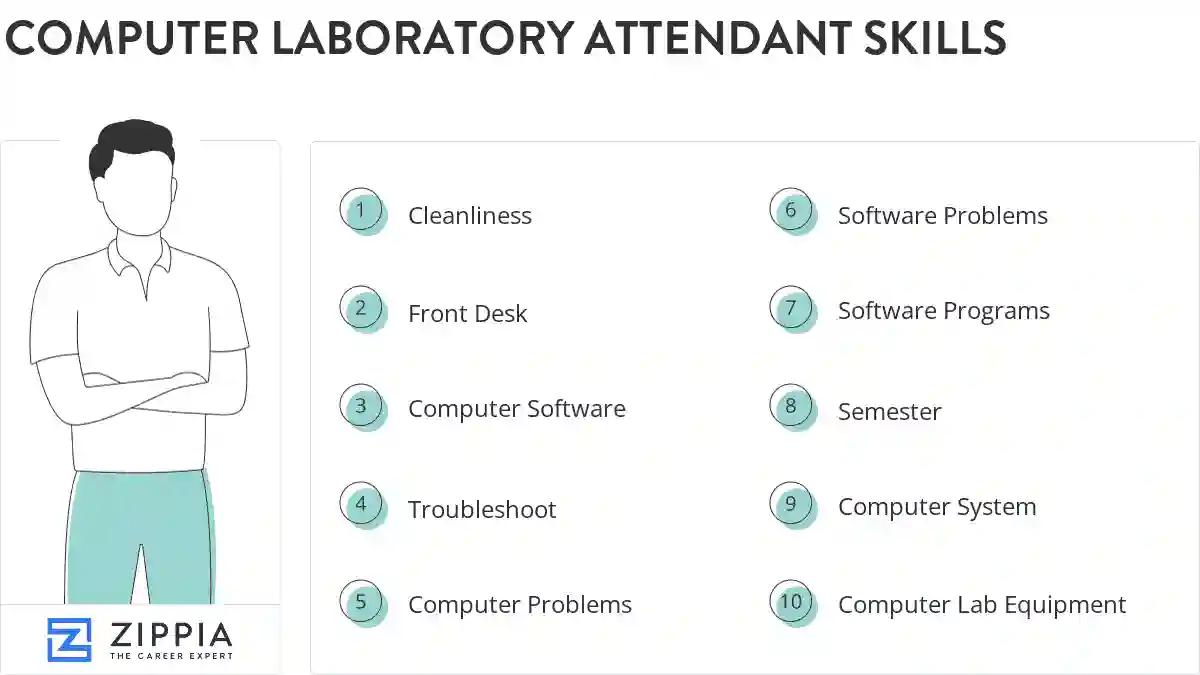
The most important skills for a computer laboratory attendant resume and required skills for a computer laboratory attendant to have include:
- Cleanliness
- Front Desk
- Computer Software
- Troubleshoot
- Computer Problems
- Software Problems
- Software Programs
- Semester
- Computer System
- Computer Lab Equipment
- Windows
- Software Issues
- Technical Support
- Computer Programs
- Adobe Suite
- PowerPoint
- Technical Issues
- Adobe Photoshop
- Inventory Control
- Technical Problems
- RAN
- Computer Issues
- Technical Assistance
- Indesign
- Printer Paper
- Video Equipment
- Troubleshot
- LAN
- Hardware Problems
- PCR
- C++
- SQL
- Computer Applications
- Lab Resources
- Lab Usage
- PCS
- Lab Policies
- Macintosh
- Software Packages
- Printer Problems
- Unix
Updated January 8, 2025
