
Automatically apply for jobs with Zippia
Upload your resume to get started.
Computer technician lead skills for your resume and career
15 computer technician lead skills for your resume and career
1. Technical Support
Technical support or tech support are the services provided by any hardware or software company to users. They help in solving the technical difficulties the customers face with their products or services. Moreover, the tech support employees maintain, manage, and repair the IT faults. They are also responsible for resolving the network problems, installing and configuring hardware and software.
- Worked in a fast paced retail environment performing computer-related installations and technical support.
- Provide desktop and network technical support and solutions for everyday technology needs.
2. Network Printers
- Work with domain accounts, network printers, network credentials, and VOIP phones.
- Located restored files installing network printers and setting default printer.
3. Troubleshoot
Troubleshooting is the process of analyzing and fixing any kind of problem in a system or a machine. Troubleshooting is the detailed yet quick search in the system for the main source of an issue and solving it.
- Performed minor technical repairs daily and troubleshoot laptops/desktops.
- Tested troubleshoot, Repaired all types of computers, installed OS, on some project requested from upper management.
4. Computer System
- Developed and executed Computer System Vendor Audit procedures and enterprise system feasibility and product selection studies.
- Diagnosed and repaired computer systems for warranty and non-warranty issues.
5. CNC
CNC stands for Computer Numerical Control. It is a subtractive manufacturing technique that usually uses computerized controls and machine tools to strip layers of material from a stock piece.
- Worked with Engineers in rapidly producing new products via CNC machining centers, mills, and lathes.
- Devise process in which new products are to be manufactured related to all CNC operations.
6. OS
In technical terms, OS stands for "Operating System". It is a software that is used to run programs on the computer. An operating system acts as a link between the user and the hardware components. Windows, macOS, iOS, Linux are examples of an operating system.
- Installed OS's on various types of computers.
- Set up and maintained Windows XP / Vista / OS X / Linux client machines.
Choose from 10+ customizable computer technician lead resume templates
Build a professional computer technician lead resume in minutes. Our AI resume writing assistant will guide you through every step of the process, and you can choose from 10+ resume templates to create your computer technician lead resume.7. Linux
Linux is a Unix-like operating system. Just like Windows, Mac OS, and IOS, Linux is an operating system used by millions across the globe. Android itself is powered by the Linux operating system. Linux manages all the hardware resources that are associated with your computer. The software is famous because of the protection it grants from viruses, malware, and crashes. The Linux operating system is entirely free and is an open-source software meaning it can be altered by those equipped with the knowledge to code.
- Fixed and repaired Windows, Linux and Mac based computers as well as built and sold computers and various other electronics.
- Perform Break/Fix and Client PC Software & Hardware support under Intel guidelines for Windows & Linux systems.
8. Laptop Computers
- Network Administration - Web design Responsibilities include troubleshooting, refurbishing and repair of desktop and laptop computers.
- Troubleshooted, repaired, installed and configured computer peripherals on desktop and laptop computers.
9. WAN
- Configure security settings and access permissions for groups and individuals, as well as WAN and LAN routers.
- Support and manage corporate LAN and WAN programs.
10. Windows Server
- Assisted in maintaining, monitoring, and co-ordinating work order tracking system (Track-IT for Windows Server 2008).
- Connect users to various networks, Unix, Lan Manager, NT and Windows Server 2000/2003.
11. Remote Desktop
- Perform diagnosis and repairs over the phone and using remote desktop software for business clients.
- Performed remote support via phone, screen sharing, and remote desktop.
12. Workstations
- Installed 250 new workstations in four buildings in 2012; refurbished and redistributed 90 older machines to three elementary schools.
- Performed root cause analysis on all hardware issues which included: notepads, laptops, servers, workstations, etc.
13. Mac
A media access control or simply MAC is a network policy that identifies or determines how the data is being transferred in two particular servers through a network cable. The purpose of a MAC protocol is to prevent network or technical issues and simplify transferring the information or data.
- Performed Diagnostics, repairs, and hardware and software upgrades and installs on both PC and Mac computers
- Provided Windows & Mac support for the faculty, staff and students of the College of Education.
14. Microsoft Windows
- Gained knowledge of repairing and modifying Microsoft Windows based hardware and well as computer manufacturing.
- Configure medical computers, software, applications and medical devices along with printers on a Microsoft Windows XP/Windows 7 platform.
15. Computer Repair
- Completed 200 consumer computer repairs to alleviate backlog store had accumulated.
- Managed computer repair and installation of customer owned computers.
5 Computer Technician Lead resume examples
Build a professional computer technician lead resume in minutes. Browse through our resume examples to identify the best way to word your resume. Then choose from 5+ resume templates to create your computer technician lead resume.

What skills help Computer Technician Leads find jobs?
Tell us what job you are looking for, we’ll show you what skills employers want.
What skills stand out on computer technician lead resumes?
Robert Rucker
Lecturer, Arizona State University
What hard/technical skills are most important for computer technician leads?
Robert Rucker
Lecturer, Arizona State University
1. Need to know how to design and implement ( or contribute to) a 'principled' information base (this is a skill my students encounter routinely)
a. Designing an information system requires knowing multiple levels of analysis and synthesis
- I teach the undergrad and graduate levels of database
( I have been teaching' conceptual level modeling --- using Object role modeling ( this is a layer above ER and relational, and has been underappreciated IMO
b. relational level analysis using SQL
implementational level using T-SQL
c. NoSQL using Couchbase and SQL++ and hence the key-value mode of storage
implementation ( SQL + NoSQL seem essential in this world of federated databases !)
d. Of course, there is the underlying substrate of approaching an info task in the first place!
2. For what it's worth, I also teach big data. Again, finding (understanding) and exemplifying the principles underlying the algorithms and data development is crucial.
What type of skills will young computer technician leads need?
Joshua Davis Ph.D.
Lecturer, Carleton College
What soft skills should all computer technician leads possess?
Rania Hussein Ph.D.
Associate Teaching Professor, University of Washington
List of computer technician lead skills to add to your resume
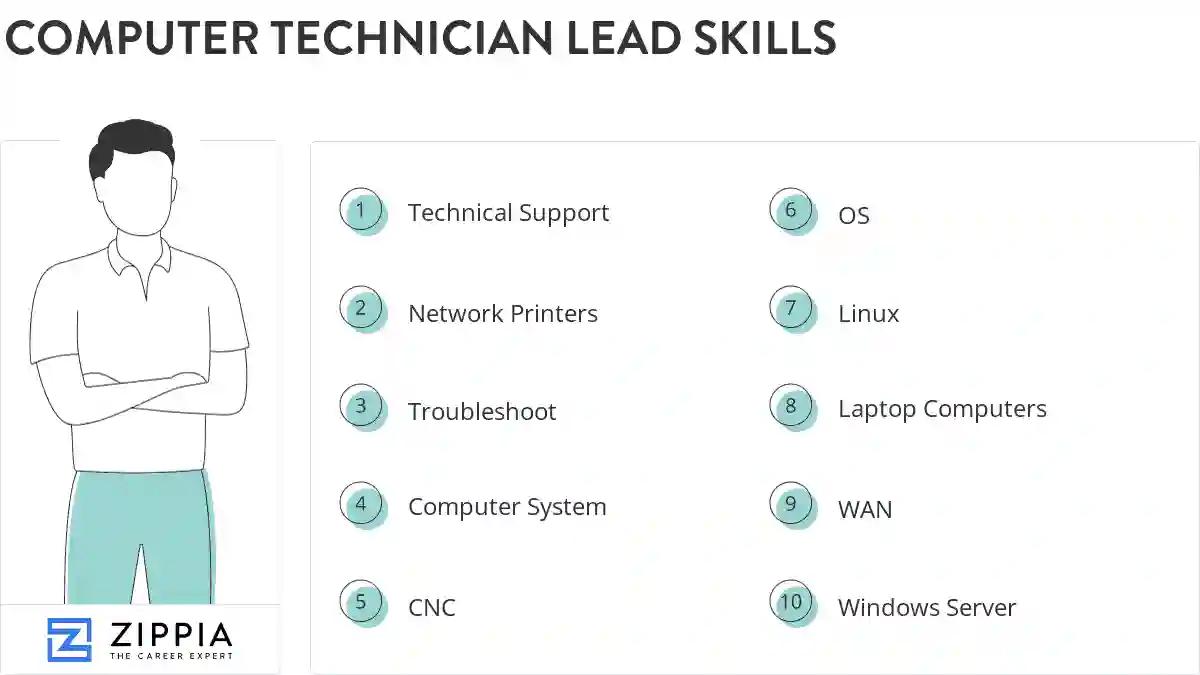
The most important skills for a computer technician lead resume and required skills for a computer technician lead to have include:
- Technical Support
- Network Printers
- Troubleshoot
- Computer System
- CNC
- OS
- Linux
- Laptop Computers
- WAN
- Windows Server
- Remote Desktop
- Workstations
- Mac
- Microsoft Windows
- Computer Repair
- Peripheral Equipment
- Routers
- PCS
- Software Issues
- Windows XP
- LAN
- Unix
- POS
- Virus Removal
- Software Systems
- Computer Software
- A+
- Apple
- Troubleshot
- Software Problems
- Technical Problems
- Software Installation
- Data Recovery
- Technical Assistance
- Technical Issues
- Network Issues
- Level Troubleshooting
- Customer Support
- Network Connectivity
- Desktop Computers
- VPN
- Ethernet
- TCP/IP
- Lotus Notes
- Computer Issues
- HTML
- Autocad
- LCD
- VoIP
Updated January 8, 2025
