
Automatically apply for jobs with Zippia
Upload your resume to get started.
Computer technician student skills for your resume and career
15 computer technician student skills for your resume and career
1. Python
Python is a widely-known programming language. It is an object-oriented and all-purpose, coding language that can be used for software development as well as web development.
- Completed Java based project for retail stores, used Python in Cryptography
- Learned HTML, CSS, JavaScript and Python from Google Experts.
2. Java
Java is a widely-known programming language that was invented in 1995 and is owned by Oracle. It is a server-side language that was created to let app developers "write once, run anywhere". It is easy and simple to learn and use and is powerful, fast, and secure. This object-oriented programming language lets the code be reused that automatically lowers the development cost. Java is specially used for android apps, web and application servers, games, database connections, etc. This programming language is closely related to C++ making it easier for the users to switch between the two.
- Managed Java development projects within teams under professional guidelines, and reviews.
- Signpost optimization using Floyd-Warshall written in Java.
3. Algorithms
- Progressed in capability of programming math based algorithms predominately coded in MATLAB.
- Managed encryption key using common asymmetric algorithms and distributed mechanism.
4. GPA
GPA, known as the cumulative grade point aggregate is an indicator of how much dedication, and effort was put into your academic years in college or high school.
- Selected for prestigious Department of Defense Cyber Security: Scholarship For Service (SFS) - Completed graduate work with 3.6 GPA
- Graduated with an AS degree in Information Technology - MS Windows specialty with a 4.0 GPA.
5. Linux
Linux is a Unix-like operating system. Just like Windows, Mac OS, and IOS, Linux is an operating system used by millions across the globe. Android itself is powered by the Linux operating system. Linux manages all the hardware resources that are associated with your computer. The software is famous because of the protection it grants from viruses, malware, and crashes. The Linux operating system is entirely free and is an open-source software meaning it can be altered by those equipped with the knowledge to code.
- Worked with Linux operating systems, installing programs such as Google Chrome and G-edit onto the Linux platform.
- Attended a workshop on Open Source Initiatives and Linux Kernel Internals, Programming held at VIT University.
6. Mac
A media access control or simply MAC is a network policy that identifies or determines how the data is being transferred in two particular servers through a network cable. The purpose of a MAC protocol is to prevent network or technical issues and simplify transferring the information or data.
- Issued and closed help-desk tickets describing the problems with their Mac, PC, and laptop.
- Resolved computer, network, and software issues on PC and Mac systems.
Choose from 10+ customizable computer technician student resume templates
Build a professional computer technician student resume in minutes. Our AI resume writing assistant will guide you through every step of the process, and you can choose from 10+ resume templates to create your computer technician student resume.7. Software Issues
Software issues are challenges related to the software installed in a computer that can be resolved by troubleshooting, bug fixes, and in extreme cases by a programmer. Software issues can cause the software to lag in the system, malfunction, or affect the entire function of the computer system in general.
- Render service through customer support in hardware/software issues increasing reliability and maintainability of client systems for various clients.
- Resolve hardware/software issues expeditiously with minimum impact on computer users and coordinate hardware repairs with vendors as needed.
8. Computer Lab
A computer lab is a place where certain computer services are provided to a community, typically for academic learning and skills development. Computer labs are typically provided in educational institutes for the students to perform their computer-based course activities. Computer labs have several computers and smart devices for the users.
- Set up classroom computer labs, install hardware, make and run network cables, and troubleshoot hardware and software problems.
- Push images onto computer labs and installs software to allow all of their client computers the same functions and capabilities.
9. C++
C++ is a general-purpose programming language that is used to create high-performing applications. It was invented as an extension to the C language. C++ lets the programmer have a high level of domination over memory and system resources. C++ is an object-oriented language that helps you implement real-time issues based on different data functions
- Designed and tested basic C++ programs, including OpenGL graphic design.
- Discretized the Incompressible Navier-Stokes quations using finite difference to create a staggered grid for a lid-driven cavity flowusing C++ and Matlab.
10. Troubleshoot
Troubleshooting is the process of analyzing and fixing any kind of problem in a system or a machine. Troubleshooting is the detailed yet quick search in the system for the main source of an issue and solving it.
- Managed and troubleshoot OS for Windows XP, Windows Vista and Windows 7 client systems.
- Learned how to troubleshoot and fix technological problems as they occurred around campus.
11. HTML
- Developed web application in Udacity course that involved work with Google App Engine, HTML, and MySQL.
- Demonstrated capabilities in HTML, CSS, and Javascript.
12. PHP
PHP, the abbreviation for hypertext preprocessor, is a scripted language used in websites to manage content.
- Developed complete state-of-the-art university website including alumni in coordination with 2 peers in 4 months with PHP and MySQL database.
- Developed complete state-of-the-art E-commerce with 2 peers with PHP and MySQL database.
13. JavaScript
- Practiced and developed basic JavaScript application with a focus on comprehension within ServiceNow.
- Prepared and edited documentation and designed/tested JavaScript libraries.
14. SQL Server
- Developed in MS Visual Studio 2013 with SQL Server 2014 for the database server.
- Created relationship database schema in SQL Server 2008.
15. LAN
A Local Area Network (LAN) is a collection of devices that are connected in the same building, office, or network to facilitate the transmission of information among devices. The area of LAN depends upon the number of devices connected which vary according to the size of a building or an office. It includes cables, computers, switches, routers, access points, and other networking components.
- Analyzed, designed and installed the present LAN within the district office.
- Worked with WAN and LAN cabeling systems.
5 Computer Technician Student resume examples
Build a professional computer technician student resume in minutes. Browse through our resume examples to identify the best way to word your resume. Then choose from 5+ resume templates to create your computer technician student resume.

What skills help Computer Technician Students find jobs?
Tell us what job you are looking for, we’ll show you what skills employers want.
What skills stand out on computer technician student resumes?
Robert Rucker
Lecturer, Arizona State University
What soft skills should all computer technician students possess?
Robert Rucker
Lecturer, Arizona State University
What hard/technical skills are most important for computer technician students?
Robert Rucker
Lecturer, Arizona State University
1. Need to know how to design and implement ( or contribute to) a 'principled' information base (this is a skill my students encounter routinely)
a. Designing an information system requires knowing multiple levels of analysis and synthesis
- I teach the undergrad and graduate levels of database
( I have been teaching' conceptual level modeling --- using Object role modeling ( this is a layer above ER and relational, and has been underappreciated IMO
b. relational level analysis using SQL
implementational level using T-SQL
c. NoSQL using Couchbase and SQL++ and hence the key-value mode of storage
implementation ( SQL + NoSQL seem essential in this world of federated databases !)
d. Of course, there is the underlying substrate of approaching an info task in the first place!
2. For what it's worth, I also teach big data. Again, finding (understanding) and exemplifying the principles underlying the algorithms and data development is crucial.
What computer technician student skills would you recommend for someone trying to advance their career?
Dr. Darshika Perera Ph.D.
Associate Professor, University of Colorado at Colorado Springs
What type of skills will young computer technician students need?
Joshua Davis Ph.D.
Lecturer, Carleton College
What technical skills for a computer technician student stand out to employers?
Chirag Parikh Ph.D.
Computer Engineering Chair, Grand Valley State University
As a Computer Engineering professor, I would say the job opportunities are tremendous for students out of college as they can venture into hardware field (technical support, hardware engineer, test engineer and much more) as well as software field (software engineer, software developer, software tester and much more). The possibilities are endless.
With COVID and employees working remotely there is still ample opportunity to enhance your technical and interpersonal skills as I believe remote working might stay for a while till things get back to normal.
List of computer technician student skills to add to your resume
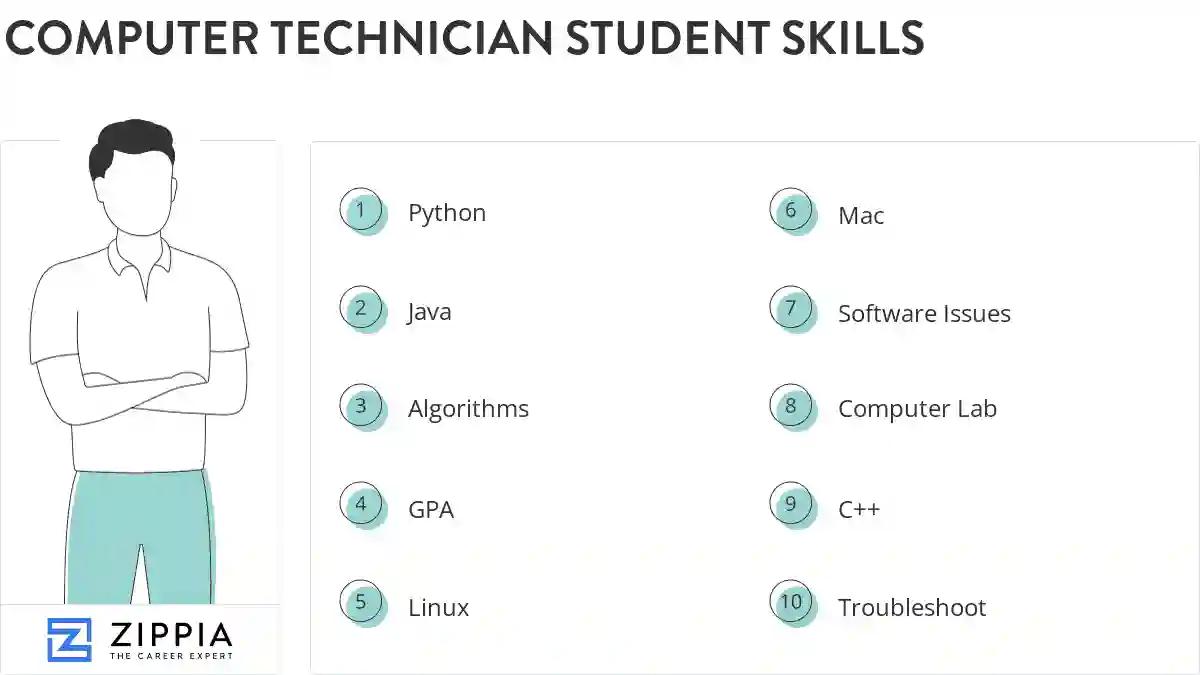
The most important skills for a computer technician student resume and required skills for a computer technician student to have include:
- Python
- Java
- Algorithms
- GPA
- Linux
- Mac
- Software Issues
- Computer Lab
- C++
- Troubleshoot
- HTML
- PHP
- JavaScript
- SQL Server
- LAN
- Technical Assistance
- PC
- Computer Problems
- OS
- Technical Issues
- CSS
- Software Engineering
- Computer System
- CAD
- A+
- Web Application
- Data Structures
- Object Oriented Programming
- Windows XP
- Computer Software
- API
- Windows Server
- PowerPoint
- Computer Issues
- MVC
- Computer Equipment
- Unix
- Software Problems
- TCP/IP
- Web Programming
- JQuery
- Computer Repair
- WAN
- IV
- GUI
Updated January 8, 2025
