
Automatically apply for jobs with Zippia
Upload your resume to get started.
Instructional technology coordinator skills for your resume and career
15 instructional technology coordinator skills for your resume and career
1. Instructional Technology
- Collaborated with software support specialists, hardware technicians, and network engineers to better determine instructional technology needs and provide support.
- Established and managed a new campus-wide instructional technology center providing services to 7500 university faculty, staff and graduate students.
2. Professional Development
Professional development means to have the essential training certification or education with the purpose of earning and having a successful career. Every job requires a different set of skills. However, new skills may be needed in the future. Professional development, in this regard, helps people to develop and polish the skills and become efficient workers.
- Design and teach professional development courses for teachers integrating technology into their curriculum.
- Organize and conduct professional development workshops to enhance awareness of retention strategies.
3. Syllabus
- Worked in partnership to develop the syllabus, overview and program layout for Microsoft Word.
- Evaluate processes and implements systems of quality improvement measures for training and syllabus revision.
4. Course Objectives
A course objective allows students to know all that a course is about, why it is taught, where it is going, and what is required of them to be successful in the course. It forms the basis of the class and establishes a behavior, skill, or action that a student can demonstrate if they have achieved mastery of the objective. The objectives must be observable, measurable, valid, and also aligned with the expectations of the course.
- Assist in the planning of course objectives, content and learning experiences for classroom, laboratory, and clinical areas.
- Facilitated student learning in the area of computer applications and keyboarding resulting in 100% mastery of course objectives.
5. Student Learning
- Ensured student learning and promoted collaborative community within the online classroom.
- Generate new processes with management to increase student learning opportunities.
6. Technology Curriculum
- Develop and implement technology curriculum for students K-8.
- Designed, established, and taught new technology curriculum (150 students) and assisted with state accreditation.
Choose from 10+ customizable instructional technology coordinator resume templates
Build a professional instructional technology coordinator resume in minutes. Our AI resume writing assistant will guide you through every step of the process, and you can choose from 10+ resume templates to create your instructional technology coordinator resume.7. Course Materials
- Developed and implemented interactive learning mediums to increase student understanding of course materials.
- Prepare written material to provide instructors with supplemental course materials and coordinate work efforts among faculty members.
8. Clinical Sites
- Increased number of clinical sites by 150% and improved CST exam pass rates by 45%.
- Resolve problems to maintain a good relationship with clinical sites.
9. Computer Lab
A computer lab is a place where certain computer services are provided to a community, typically for academic learning and skills development. Computer labs are typically provided in educational institutes for the students to perform their computer-based course activities. Computer labs have several computers and smart devices for the users.
- Evaluated all computer software and hardware requirements for over 40 staff members of the computer laboratory.
- Provided technology support for maintaining the computer lab and classroom computers.
10. Technology Program
- Strengthened the Technology Department, recruited new teachers, and coordinated schedule for instructors for technology program.
- Prepared, submitted, and received grants to fund technology programs.
11. Learning Management System
A learning management system or LMS is application software used for administration, tracking, or documentation purposes in education institutes, offices, learning, or training programs. It streamlines the daily chores and reduces the time spent on manual administration tasks. LMS provides a broad array of access to eLearning platforms and also reduces learning and development costs. Google Classrooms, Blackboard Learn are examples of learning management systems
- Support and development of innovative instructional technologies including traditional Learning Management Systems.
- Support included online and blended classes utilizing the college's learning management system and 300+ multimedia classrooms across the district.
12. Educational Technology
- Spearheaded strategic planning, sourcing, budgeting, purchasing, and implementation for all educational technology initiatives.
- Integrated and maintained school-wide educational technology and support.
13. K-12
K12 is a term that incldues all 12 years of education in the US education system. It includes the education offered at the primary stage, middle stage, and secondary stage. It includes children of ages as young as 5 to 18 years. The grades included in K12 are Kindergarten, the initial 5 stages, grades 6 to 8, and 9 to 12. This system is followed specifically followed in the US and may vary in other countries.
- Created and chaired a Technology Task Force, a K-12 team of teachers.TEACHING EXPERIENCE:
- Coordinate all fine and performing arts, K-12.
14. Staff Development
- Planned and implemented staff development for technology integration and skills.
- Organized and presented new staff development for building on technology use and integration.
15. ESL
- Coordinated and scheduled technology and literacy (GED, ESL & Adult Literacy) classes.
- Directed ESL classes to employees from Spanish-speaking countries at Churchill Downs all with different levels of English knowledge.
5 Instructional Technology Coordinator resume examples
Build a professional instructional technology coordinator resume in minutes. Browse through our resume examples to identify the best way to word your resume. Then choose from 5+ resume templates to create your instructional technology coordinator resume.

What skills help Instructional Technology Coordinators find jobs?
Tell us what job you are looking for, we’ll show you what skills employers want.
What skills stand out on instructional technology coordinator resumes?
Dr. Margaret Scott Ph.D.
Senior Instructor, University Supervisor, University of Colorado Colorado Springs
What soft skills should all instructional technology coordinators possess?
Dr. Margaret Scott Ph.D.
Senior Instructor, University Supervisor, University of Colorado Colorado Springs
What hard/technical skills are most important for instructional technology coordinators?
Dr. Margaret Scott Ph.D.
Senior Instructor, University Supervisor, University of Colorado Colorado Springs
What instructional technology coordinator skills would you recommend for someone trying to advance their career?
Rich Miller III
Director of IT (Dyson), Website
List of instructional technology coordinator skills to add to your resume
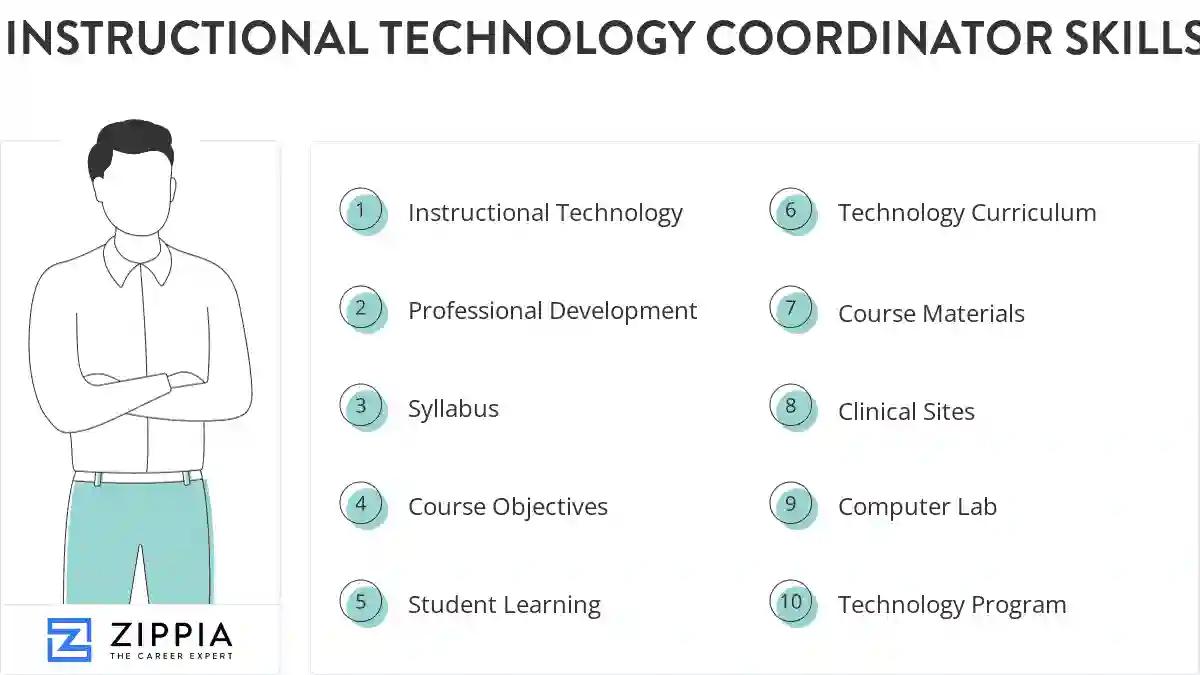
The most important skills for an instructional technology coordinator resume and required skills for an instructional technology coordinator to have include:
- Instructional Technology
- Professional Development
- Syllabus
- Course Objectives
- Student Learning
- Technology Curriculum
- Course Materials
- Clinical Sites
- Computer Lab
- Technology Program
- Learning Management System
- Educational Technology
- K-12
- Staff Development
- ESL
- PowerPoint
- Multimedia
- Data Systems
- Instructional Materials
- Technology Training
- Instructional Design
- Technology Resources
- Blackboard
- Mathematics
- Windows
- Technology Integration
- CTE
- Course Development
- Distance Learning
- Technology Tools
- Technology Plan
- K-8
- Technology Budget
- Instructional Support
- Chromebooks
- Freshman
- Instructional Program
- Computer Applications
- Student Achievement
- Google Apps
- PC
- Training Materials
- Classroom Management
- Technology Committee
- Social Studies
- Software Issues
- HTML
- Public Schools
- Technology Equipment
Updated January 8, 2025
