
Automatically apply for jobs with Zippia
Upload your resume to get started.
Network assistant skills for your resume and career
15 network assistant skills for your resume and career
1. Switches
- Configured network switches in preparation of deploying in campus buildings from configuration template.
- Configure, maintain, monitor, upgrade, and troubleshoot routers & switches, Lease LINK (Wireless and DSL).
2. Network Operations
- Provided administrative, purchasing, and project support to the Network Operations Department of a competitive local exchange carrier.
- Provided Administrative support for the Network Operations organization of 200 employees.
3. Technical Support
Technical support or tech support are the services provided by any hardware or software company to users. They help in solving the technical difficulties the customers face with their products or services. Moreover, the tech support employees maintain, manage, and repair the IT faults. They are also responsible for resolving the network problems, installing and configuring hardware and software.
- Provided functional and technical support during classroom activities.
- Provided technical support on custom GIS and HMI SCADA applications, Microsoft Office Suite, and hardware and software related issues.
4. Desk Support
- Functioned as help desk support, assisting end-user with in-person or phone-in support for network, software and hardware needs.
- Experienced with Help Desk support and with solving problems and issues submitted to the Help Desk.
5. Network Problems
- Helped detected problems with loss of connectivity, master printer and domain network problems.
- Identify and resolve network problems.
6. Network Issues
- Assisted Network Supervisor with minor network issues
- Helped troubleshoot system and network issues.
Choose from 10+ customizable network assistant resume templates
Build a professional network assistant resume in minutes. Our AI resume writing assistant will guide you through every step of the process, and you can choose from 10+ resume templates to create your network assistant resume.7. CAT6
- Installed and maintain copper (CAT5e and CAT6) and Fiber cabling.
- Installed, terminated, and tested Cat5e and Cat6 cabling.
8. Network Cables
- Install or repair network cables, including Coax & Fiber Optic cables.
- Manage Windows 2008 Manage network using Active Directory Troubleshoot systems Replace computer components Use clonezilla to image computers Creating network cables
9. PCS
- Assisted in identifying and repairing problems with PCs, Macs, and printers.
- Build and upkeep PCs for end users within the organization.
10. TCP/IP
- Installed Network Interface Cards, setting up and troubleshooting of TCP/IP services, and coordinating with the Operations Center network diagnostics.
- Provide LAN Support and troubleshooting TCP/IP connectivity, software, and printing issues.
11. Computer Lab
A computer lab is a place where certain computer services are provided to a community, typically for academic learning and skills development. Computer labs are typically provided in educational institutes for the students to perform their computer-based course activities. Computer labs have several computers and smart devices for the users.
- Build and repair workstations using Microsoft Windows 2000/XP for deployment in computer labs and Offices utilizing Ghost sets.
- Move and install computers and equipment in classrooms, offices, and computer labs on campus.
12. Trouble Tickets
A trouble ticket is another term for a support/help ticket. At the point when a client or worker has an issue, they present a record, or ticket, to the IT group depicting their issue. The group records significant data on the ticket and uses it for correspondence between the client and the group.
- Resolved end-user problems and ensures correct operation of personal computers using Remedy Trouble Ticketing System.
- Resolved all incoming trouble tickets and network communication problems.
13. User Accounts
A user account is a relationship established between a user and a computer, network, or information service that includes a user name, password, and all information related to the user. A user account may or may not allow a user to connect to a network, another computer, or other shared resources.
- Performed day-to-day Windows NT administration such as user accounts, directory services file system shares, and permissions.
- Provide customer support, maintaining user accounts, workstations, and servers via Active Directory.
14. Windows XP
- Network Administration and desktop duties related to Windows XP, 7 and Windows Server 2008 and 2012 R2.
- Provide support for the following applications: Microsoft Office Suite and Windows XP.
15. OS
In technical terms, OS stands for "Operating System". It is a software that is used to run programs on the computer. An operating system acts as a link between the user and the hardware components. Windows, macOS, iOS, Linux are examples of an operating system.
- Network and PC installation, configuration, maintenance and troubleshooting PC hardware, software, Networking OS and Hardware.
- Configured RAID - 5 and Raid - 1 mirroring for OS and data redundancy.
5 Network Assistant resume examples
Build a professional network assistant resume in minutes. Browse through our resume examples to identify the best way to word your resume. Then choose from 5+ resume templates to create your network assistant resume.

What skills help Network Assistants find jobs?
Tell us what job you are looking for, we’ll show you what skills employers want.
What network assistant skills would you recommend for someone trying to advance their career?
Kate Marek Ph.D.
Director and Professor, Dominican University
What type of skills will young network assistants need?
Joshua Davis Ph.D.
Lecturer, Carleton College
List of network assistant skills to add to your resume
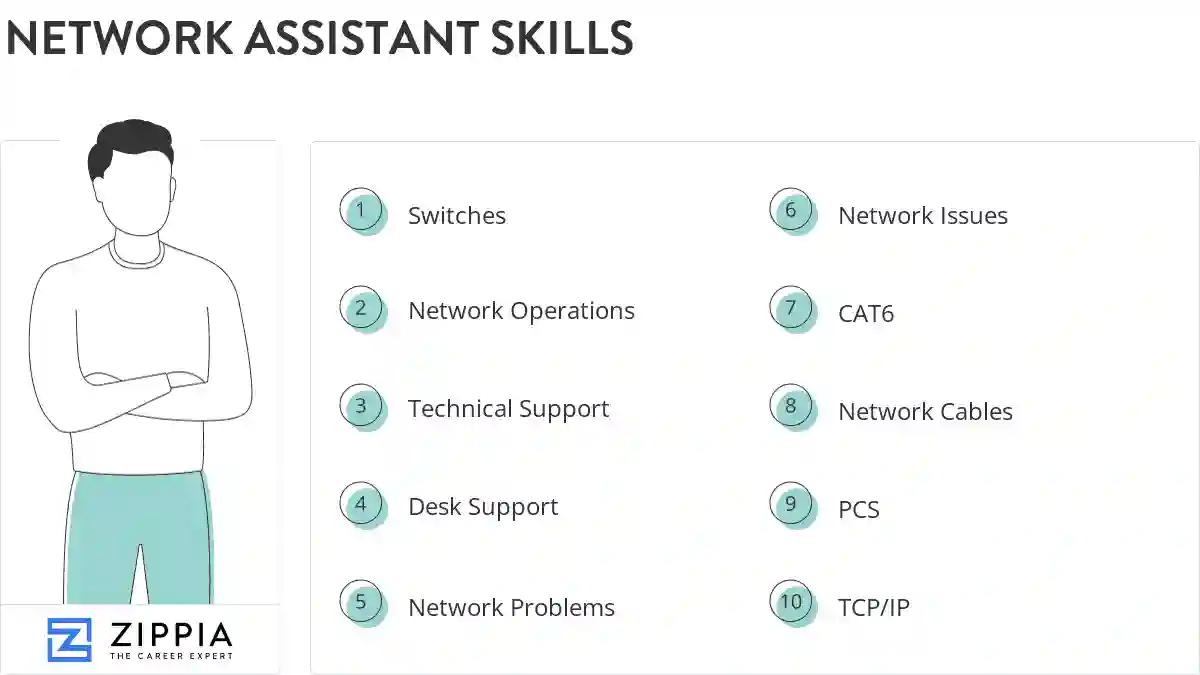
The most important skills for a network assistant resume and required skills for a network assistant to have include:
- Switches
- Network Operations
- Technical Support
- Desk Support
- Network Problems
- Network Issues
- CAT6
- Network Cables
- PCS
- TCP/IP
- Computer Lab
- Trouble Tickets
- User Accounts
- Windows XP
- OS
- VoIP
- Windows NT
- Computer System
- Windows Server
- VPN
- Network Infrastructure
- Ethernet
- RAN
- Linux
- Novell
- Mac
- DNS
- DHCP
- Lan
- Network Support
- CAT5
- Network Devices
- Network Equipment
- Python
- Software Installation
- Network Security
- Software Issues
- EIGRP
- Software Updates
- Wi-Fi
- HTML
- OSPF
- Computer Network
- Network Troubleshooting
- Software Problems
- Problem Resolution
- Microsoft Exchange
Updated January 8, 2025
