
Automatically apply for jobs with Zippia
Upload your resume to get started.
Help desk assistant skills for your resume and career
15 help desk assistant skills for your resume and career
1. Computer Lab
A computer lab is a place where certain computer services are provided to a community, typically for academic learning and skills development. Computer labs are typically provided in educational institutes for the students to perform their computer-based course activities. Computer labs have several computers and smart devices for the users.
- Answered information technology related questions, fixed computers, and maintained computer labs.
- Supervised campus computer labs, provide technical assistance and maintain equipment.
2. Customer Service
Customer service is the process of offering assistance to all the current and potential customers -- answering questions, fixing problems, and providing excellent service. The main goal of customer service is to build a strong relationship with the customers so that they keep coming back for more business.
- Provided customer service for staff, faculty, and students experiencing difficulties with technology
- Maintain positive working relationships to provide quality customer service and information to users.
3. Desk Support
- Assisted in the Help Desk Support of Mac OS, Windows, Microsoft Office, Email, other Windows applications.
- Supported activities related to the operation of company information systems by providing first level Help Desk support to company users.
4. Help Desk
- Followed standard Help Desk operating procedures; accurately logged all Help Desk contacts using call Remedy ticket management system.
- Performed diagnostics and troubleshooting of system issues, documented help desk tickets/resolutions and maintained equipment inventory list.
5. Help-Desk Support
- Provided computer help-desk support and technical training on hardware/software to end users.
- Provided computer help-desk support via telephone communication with end users.
6. Computer Software
- Provided informational assistance in relation to computer software acquisition, and computer hardware concerns.
- Provided customer support services to include installation and configuration of computer software.
Choose from 10+ customizable help desk assistant resume templates
Build a professional help desk assistant resume in minutes. Our AI resume writing assistant will guide you through every step of the process, and you can choose from 10+ resume templates to create your help desk assistant resume.7. Mac
A media access control or simply MAC is a network policy that identifies or determines how the data is being transferred in two particular servers through a network cable. The purpose of a MAC protocol is to prevent network or technical issues and simplify transferring the information or data.
- Installed, repaired, and worked with the team for Migration of Windows 7, Windows 8, and Mac Computers.
- Experienced with Backtrack, Ubuntu, SUSE, Debian, and Fedora Linux operating systems and Mac OSX.
8. Remote Desktop
- Performed system and application upgrades and repairs using remote desktop support software.
- Use Remote Assistance and Remote Desktop Connection to troubleshoot software related issue.
9. Technical Assistance
Technical assistance is the non-financial assistance provided by local or international specialists. The purpose of technical assistance is to maximize the project's implementation and quality of the final product. Technical assistance consists of sharing information, the transmission of working knowledge, and other transfer of technical data which would aid the administration, management team and help build the project. The technical assistance focuses on particular needs identified by the beneficiary country and is delivered in the form of missions.
- Provided technical assistance in operating and implementing desktop applications.
- Assisted customers by offering prompt technical assistance.
10. User Accounts
A user account is a relationship established between a user and a computer, network, or information service that includes a user name, password, and all information related to the user. A user account may or may not allow a user to connect to a network, another computer, or other shared resources.
- Managed OSM user privileges in AD, coordinating with security and human resources to activate/deactivate user accounts as the need arose.
- Created and managed user accounts for students, staff, and faculty and assigned respective account privileges.
11. Computer Equipment
Computer hardware refers to all the physical parts of a computer which include the central processing unit (CPU), mouse, keyboard, data storage, monitor, graphics card, sound card, motherboard, and speakers.
- Tracked all Microsoft installation, computer equipment inventory and peripherals.
- Repair and Re-imaging of faulty computer equipment.
12. Software Issues
Software issues are challenges related to the software installed in a computer that can be resolved by troubleshooting, bug fixes, and in extreme cases by a programmer. Software issues can cause the software to lag in the system, malfunction, or affect the entire function of the computer system in general.
- Resolved hardware/software issues experienced by other employees.
- Analyzed and interpreted inquiries, provided information, advice and instructions to resolve complex hardware / software issues.
13. Front Desk
- Acted as a liaison between front desk staff and information technology professionals by responding to questions from faculty and students.
- Worked at the front desk of the library and helped AUC students & professors using the library technological facilities.
14. Software Problems
- Repaired student computers, primarily software problems.
- Helped to troubleshoot software problems on computers, mobile devices, and on users' accounts.
15. PowerPoint
- Supported several managers in an administrative capacity; transcribing meeting minutes, preparing PowerPoint presentations, and maintaining IT department paperwork.
- Produced legal proposals, memorandum agreements and PowerPoint presentations.
5 Help Desk Assistant resume examples
Build a professional help desk assistant resume in minutes. Browse through our resume examples to identify the best way to word your resume. Then choose from 5+ resume templates to create your help desk assistant resume.

What skills help Help Desk Assistants find jobs?
Tell us what job you are looking for, we’ll show you what skills employers want.
What help desk assistant skills would you recommend for someone trying to advance their career?
Kate Marek Ph.D.
Director and Professor, Dominican University
What type of skills will young help desk assistants need?
Joshua Davis Ph.D.
Lecturer, Carleton College
What technical skills for a help desk assistant stand out to employers?
Chirag Parikh Ph.D.
Computer Engineering Chair, Grand Valley State University
As a Computer Engineering professor, I would say the job opportunities are tremendous for students out of college as they can venture into hardware field (technical support, hardware engineer, test engineer and much more) as well as software field (software engineer, software developer, software tester and much more). The possibilities are endless.
With COVID and employees working remotely there is still ample opportunity to enhance your technical and interpersonal skills as I believe remote working might stay for a while till things get back to normal.
What soft skills should all help desk assistants possess?
Anthony Baron
Teaching Assistant, Associate Software Engineer, American University
List of help desk assistant skills to add to your resume
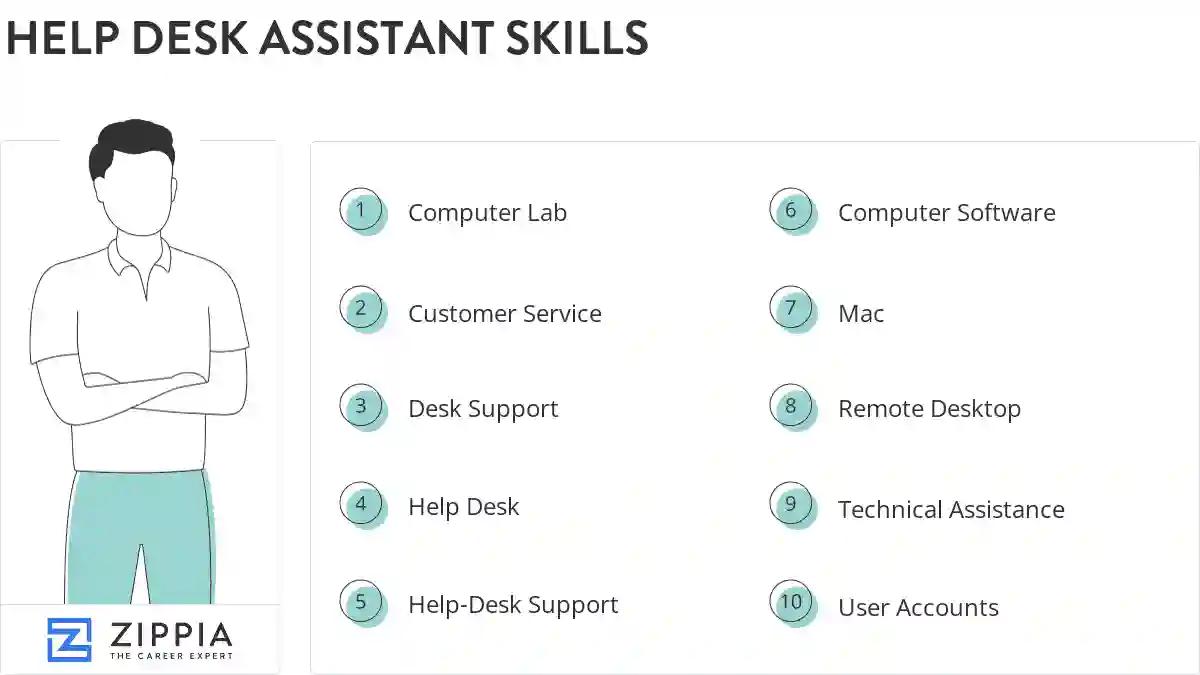
The most important skills for a help desk assistant resume and required skills for a help desk assistant to have include:
- Computer Lab
- Customer Service
- Desk Support
- Help Desk
- Help-Desk Support
- Computer Software
- Mac
- Remote Desktop
- Technical Assistance
- User Accounts
- Computer Equipment
- Software Issues
- Front Desk
- Software Problems
- PowerPoint
- Trouble Tickets
- Computer System
- Technical Problems
- Perform Routine Maintenance
- Technical Issues
- Computer Problems
- Password Resets
- Software Installation
- LAN
- Windows XP
- Desk Tickets
- Vital Signs
- Inbound Calls
- Computer Issues
- PCS
- Network Issues
- VPN
- Ticket System
- Software Applications
- SQL
- Hardware Problems
- Telephone Calls
- Linux
- Customer Support
- SharePoint
- Blackboard
- Phone Support
- Track-It
- Network Printers
- Unix
Updated January 8, 2025
