
Automatically apply for jobs with Zippia
Upload your resume to get started.
Helpdesk lead skills for your resume and career
15 helpdesk lead skills for your resume and career
1. Desk Support
- Provided expert technical and customer help desk support to over 6,000 customers.
- Lead Helpdesk support personnel supporting user community of 100+ for all desktop, printer, hardware, software and virus issues.
2. Remote Desktop
- Managed tracking documentation for all installs as well as troubleshooting hardware and software issues via telephone and remote desktop for field technicians
- Supported remote users using Remote Desktop, VNC, LogMeIn Rescue, and SCCM Remote Control.
3. Technical Support
Technical support or tech support are the services provided by any hardware or software company to users. They help in solving the technical difficulties the customers face with their products or services. Moreover, the tech support employees maintain, manage, and repair the IT faults. They are also responsible for resolving the network problems, installing and configuring hardware and software.
- Managed, maintained, and coordinated technical support of audio-visual equipment.
- Provide technical support for the stores, HQ, and DC customers by serving as an escalation point for key issues.
4. Phone Calls
Phone calls are a wireless or wired connection made over a telephone or a mobile phone between two people. Two parties are involved in a phone call, the caller and the receiver. A caller dials the number of the one he wants to call, and the recipient hears a bell or a tune to which he picks up the call. The call establishes a connection between them through which they can communicate. The voice is converted into signals and is transmitted through wired or wireless technology.
- Reduced telephone calls by communication effectively to customers by email and fax machine.
- Enter information based upon information provided via phone calls and notation received.
5. Troubleshoot
Troubleshooting is the process of analyzing and fixing any kind of problem in a system or a machine. Troubleshooting is the detailed yet quick search in the system for the main source of an issue and solving it.
- Installed and configured servers troubleshoot and repaired Personal Computers, configured desktop hardware/software.
- Discussed changes in applications and processes and made sure employees understood how to effectively troubleshoot and escalate incidents.
6. Network Printers
- Configure network printers and other network devices using Console One, NWS Admin; providing full rights for managers.
- Created printer queues and configured all network printers on the print server.
Choose from 10+ customizable helpdesk lead resume templates
Build a professional helpdesk lead resume in minutes. Our AI resume writing assistant will guide you through every step of the process, and you can choose from 10+ resume templates to create your helpdesk lead resume.7. Mac
A media access control or simply MAC is a network policy that identifies or determines how the data is being transferred in two particular servers through a network cable. The purpose of a MAC protocol is to prevent network or technical issues and simplify transferring the information or data.
- Provided minimal Mac support for end-users personal laptops.
- Configured of port security on last mile Access port switches binding single MAC address.
8. Remedy
- Created high quality documentation pamphlets for department training and maintained Remedy Knowledge Base.
- Resolved and document issue tickets using Remedy Ticketing System.
9. Network Connectivity
- Diagnosed and analyzed correct layer and restored network connectivity using OSI stack.
- Conducted in-depth analysis of PC, network, server and telecom issues including hardware, software, telephony and network connectivity.
10. Encryption
- Provided support to Microsoft Outlook mail and Microsoft Exchange mail clients with digital signature and encryption.
- Installed and support hard drive encryption software (PointSec) on Fort Monmouth machines.
11. ITIL
- Logged all service calls using Heat Call Logging, and a web-based ITIL compliant web application.
- Implemented ITIL approach to develop new processes and metrics for Cloud Solutions Call Center.
12. User Data
- Create Microsoft CRM user data and roles, Create, monitor, manage and analyze tickets through Service Desk application.
- Make backups of user data within Windows and burn to DVD or make images using Image Server.
13. Laptop Computers
- Utilized WDS and MDT for the installation and configuration of desktop and laptop computers for Windows XP and Windows 7.
- Provided telephone support to 3000+ pharmaceutical sales representatives using Dell laptop computers and Windows 98/XP.
14. VPN
A Virtual Private Network, VPN encrypts a device's internet access, activity, and identity through a secure server, making data theft and third-party traceability more difficult, and increasing the privacy and security of public and private networks, the internet, and Wi-Fi hotspots. The VPN is designed to protect one's system and network from being compromised.
- Configured VPN access for SAP consultants by creating network connections and setup of Checkpoint SecuRemote and Cisco VPN clients.
- Provided support for Windows clients, VPN, Cisco Network Account systems supporting 12K-13K end users.
15. User Accounts
A user account is a relationship established between a user and a computer, network, or information service that includes a user name, password, and all information related to the user. A user account may or may not allow a user to connect to a network, another computer, or other shared resources.
- Implemented security policies to user accounts in Active Directory.
- Provided exchange administration and created exchange-user accounts.
5 Helpdesk Lead resume examples
Build a professional helpdesk lead resume in minutes. Browse through our resume examples to identify the best way to word your resume. Then choose from 5+ resume templates to create your helpdesk lead resume.

What skills help Helpdesk Leads find jobs?
Tell us what job you are looking for, we’ll show you what skills employers want.
What helpdesk lead skills would you recommend for someone trying to advance their career?
Kate Marek Ph.D.
Director and Professor, Dominican University
List of helpdesk lead skills to add to your resume
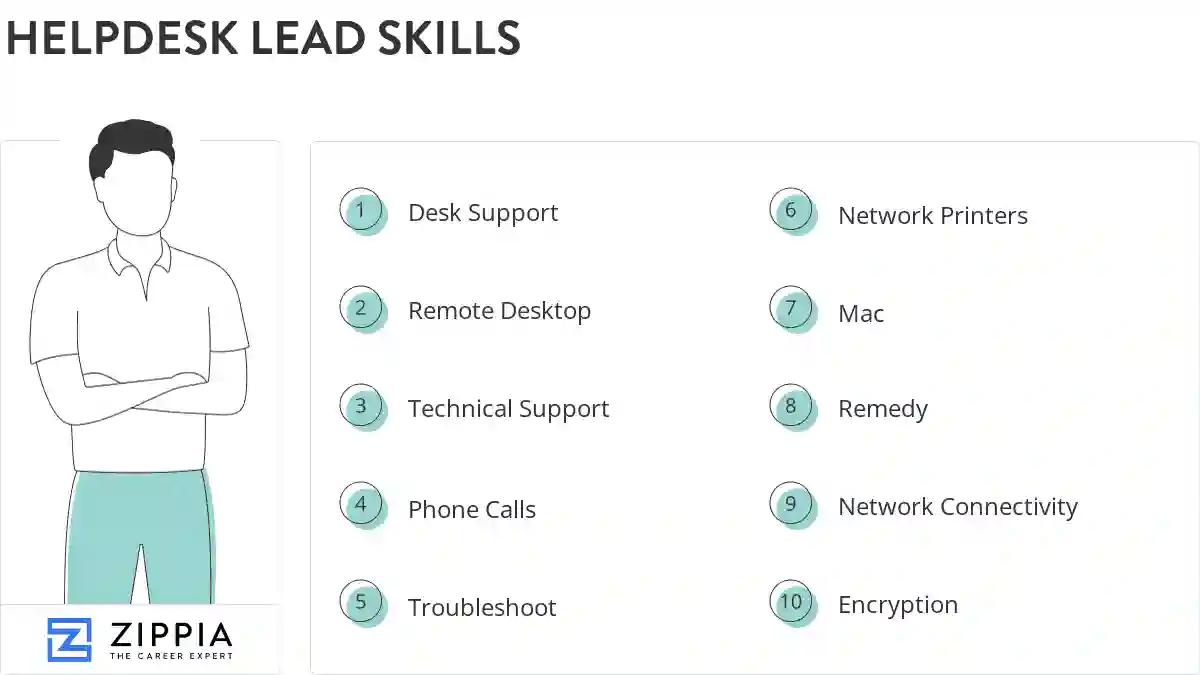
The most important skills for a helpdesk lead resume and required skills for a helpdesk lead to have include:
- Desk Support
- Remote Desktop
- Technical Support
- Phone Calls
- Troubleshoot
- Network Printers
- Mac
- Remedy
- Network Connectivity
- Encryption
- ITIL
- User Data
- Laptop Computers
- VPN
- User Accounts
- SLA
- Phone Support
- Apple
- Lan
- Windows XP
- OS
- Helpdesk Support
- Citrix
- Mobile Device Management
- Connectivity Issues
- Help Desk
- Software Issues
- Technical Documentation
- Asset Management
- PCS
- Blackberry
- SCCM
- Network Troubleshooting
- Trouble Tickets
- Phone System
- VoIP
- Help-Desk Support
- SharePoint
- Lotus Notes
- Level Support
- Account Creation
- TCP/IP
- Password Resets
- SQL
- Computer System
- Network Issues
- Remote Support
- Technical Issues
Updated January 8, 2025
