
Automatically apply for jobs with Zippia
Upload your resume to get started.
Systems support skills for your resume and career

15 systems support skills for your resume and career
1. Customer Service
Customer service is the process of offering assistance to all the current and potential customers -- answering questions, fixing problems, and providing excellent service. The main goal of customer service is to build a strong relationship with the customers so that they keep coming back for more business.
- Provided subscribers with product information, account provisioning, and general customer service.
- Demonstrated thought leadership and direct technical resources supporting excellent delivery of customer service.
2. Troubleshoot
Troubleshooting is the process of analyzing and fixing any kind of problem in a system or a machine. Troubleshooting is the detailed yet quick search in the system for the main source of an issue and solving it.
- Diagnosed, troubleshoot and resolved various workstation issues including but not limited to network connectivity, peripheral equipment and user access.
- Configure, troubleshoot and maintain hardware/software.
3. Technical Support
Technical support or tech support are the services provided by any hardware or software company to users. They help in solving the technical difficulties the customers face with their products or services. Moreover, the tech support employees maintain, manage, and repair the IT faults. They are also responsible for resolving the network problems, installing and configuring hardware and software.
- Created presentations using PowerPoint Provided technical support to network user and was also responsible for software installation on individual PCs.
- Provide Technical Support and Troubleshooting locally and remotely in a 10000+ End-User environment including Executive level employees.
4. PC
- Managed independent PC repair shop, self-motivated and self-responsible.
- Facilitated PC deployments and equipment configuration.
5. Desktop Support
- Developed and maintained desktop support procedures and prepared end-user documentation.
- Provided remote desktop support using NetMeeting.
6. End User Support
- Generated corresponding documentation for Help Desk personnel and end user support.
- Provided end user support in volatile and ever-changing environment.
Choose from 10+ customizable systems support resume templates
Build a professional systems support resume in minutes. Our AI resume writing assistant will guide you through every step of the process, and you can choose from 10+ resume templates to create your systems support resume.7. Technical Troubleshooting
- Handled technical troubleshooting within an enterprise/academic environment.
- Provided on-site (domestic and international) client consultation for group training, operations and administration management, and technical troubleshooting.
8. System Support
- Provided hotel System Support to Intercontinental hotel brands foreign and domestic.
- Network System Support: Responsible for the Set-up and maintenance of a vast Medical Billing Information System.
9. Technical Issues
- Trouble-shoot and solving technical issues for production operations associated with MES+ system transactions.
- Coordinated meeting times with local and international users to work one on one and resolve technical issues and process technical requests.
10. Technical Assistance
Technical assistance is the non-financial assistance provided by local or international specialists. The purpose of technical assistance is to maximize the project's implementation and quality of the final product. Technical assistance consists of sharing information, the transmission of working knowledge, and other transfer of technical data which would aid the administration, management team and help build the project. The technical assistance focuses on particular needs identified by the beneficiary country and is delivered in the form of missions.
- Assisted current users with technical assistance specific to the ChiroSpring application.
- Provide technical assistance support to TriWest providers.
11. Mac
A media access control or simply MAC is a network policy that identifies or determines how the data is being transferred in two particular servers through a network cable. The purpose of a MAC protocol is to prevent network or technical issues and simplify transferring the information or data.
- Created a secure CISCO wireless network solution with WEP 128 bit encryption and wireless MAC address filtration.
- Administered LAN of 12 computers, including 1 MAC, in the Agency Center for Technology.
12. Computer Equipment
Computer hardware refers to all the physical parts of a computer which include the central processing unit (CPU), mouse, keyboard, data storage, monitor, graphics card, sound card, motherboard, and speakers.
- Configured, installed and maintained personal computer equipment during the initial integration of IBM XT's into daily operations at GSFC.
- Relocated computer equipment weighing up to 50 lbs.
13. Computer System
- Performed test on Computer Systems for availability and performing scans for unapproved or outdated software.
- Maintained and repaired desktop computer systems and peripherals.
14. OS
In technical terms, OS stands for "Operating System". It is a software that is used to run programs on the computer. An operating system acts as a link between the user and the hardware components. Windows, macOS, iOS, Linux are examples of an operating system.
- Supported the StorageTek line of disk storage arrays across multiple OS s including Windows, UNIX, & Linux.
- Assisted with the set up and configuration of Lotus Notes and proprietary, OS images and Medical clinic software.
15. Remedy
- Respond to server monitoring system alerts to evaluate and remedy identified problems.
- Designed and Implemented templates within Remedy Ticketing systems for Technician use.
5 Systems Support resume examples
Build a professional systems support resume in minutes. Browse through our resume examples to identify the best way to word your resume. Then choose from 5+ resume templates to create your systems support resume.

What skills help Systems Supports find jobs?
Tell us what job you are looking for, we’ll show you what skills employers want.
What skills stand out on systems support resumes?
Anthony Baron
Teaching Assistant, Associate Software Engineer, American University
What soft skills should all systems supports possess?
Anthony Baron
Teaching Assistant, Associate Software Engineer, American University
What hard/technical skills are most important for systems supports?
Anthony Baron
Teaching Assistant, Associate Software Engineer, American University
What systems support skills would you recommend for someone trying to advance their career?
Kate Marek Ph.D.
Director and Professor, Dominican University
What type of skills will young systems supports need?
Joshua Davis Ph.D.
Lecturer, Carleton College
What technical skills for a systems support stand out to employers?
Chirag Parikh Ph.D.
Computer Engineering Chair, Grand Valley State University
As a Computer Engineering professor, I would say the job opportunities are tremendous for students out of college as they can venture into hardware field (technical support, hardware engineer, test engineer and much more) as well as software field (software engineer, software developer, software tester and much more). The possibilities are endless.
With COVID and employees working remotely there is still ample opportunity to enhance your technical and interpersonal skills as I believe remote working might stay for a while till things get back to normal.
List of systems support skills to add to your resume
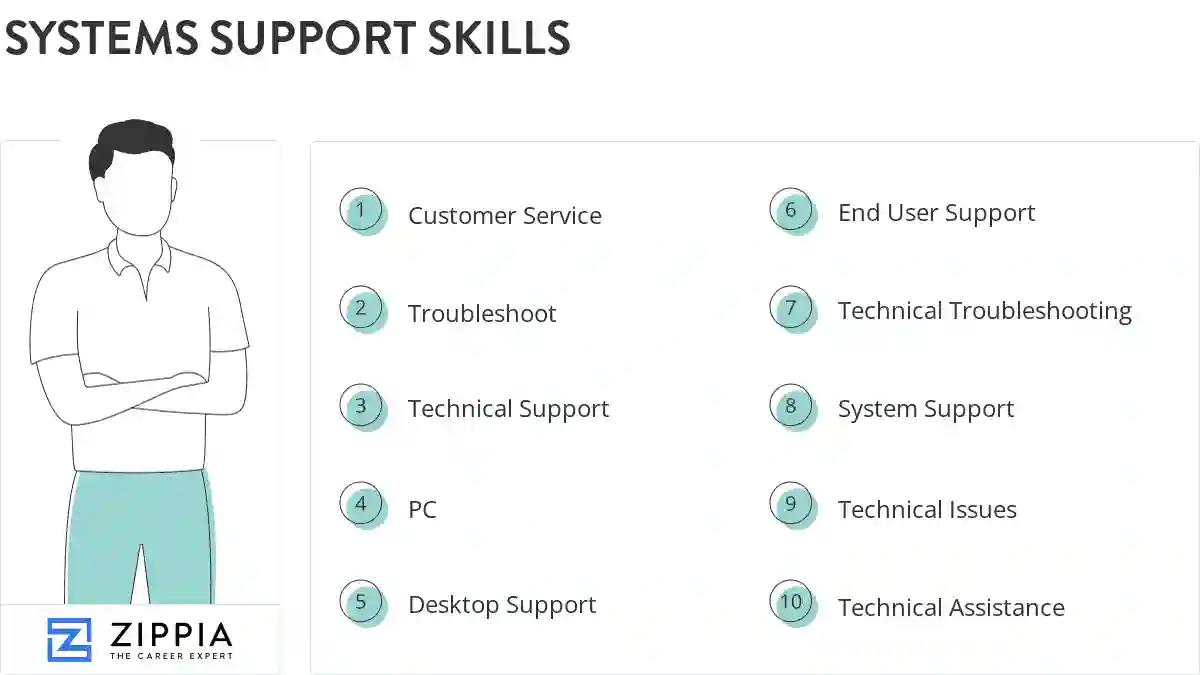
The most important skills for a systems support resume and required skills for a systems support to have include:
- Customer Service
- Troubleshoot
- Technical Support
- PC
- Desktop Support
- End User Support
- Technical Troubleshooting
- System Support
- Technical Issues
- Technical Assistance
- Mac
- Computer Equipment
- Computer System
- OS
- Remedy
- Remote Desktop
- Tcp Ip
- Problem Resolution
- Network Issues
- Software Installation
- Network Printers
- Linux
- Software Issues
- SQL Server
- Java
- Customer Satisfaction
- Android
- SCCM
- Customer Support
- SharePoint
- Workstations
- Password Resets
- Software Applications
- Switches
- VMware
- User Accounts
- Novell
- Citrix
- VPN
- TCP/IP
- Unix
- Remote Support
- Windows Server
- VoIP
- Lan
Updated January 8, 2025
