
Automatically apply for jobs with Zippia
Upload your resume to get started.
Desktop/network support skills for your resume and career

15 desktop/network support skills for your resume and career
1. Customer Service
Customer service is the process of offering assistance to all the current and potential customers -- answering questions, fixing problems, and providing excellent service. The main goal of customer service is to build a strong relationship with the customers so that they keep coming back for more business.
- Provided a managed service approach to customer service, increasing our effectiveness and efficiency in our Service Delivery Functions.
- Developed excellent customer service and troubleshooting abilities as well as project management skills.
2. Technical Support
Technical support or tech support are the services provided by any hardware or software company to users. They help in solving the technical difficulties the customers face with their products or services. Moreover, the tech support employees maintain, manage, and repair the IT faults. They are also responsible for resolving the network problems, installing and configuring hardware and software.
- Promoted to client technical support with the ability to interface with customer and determine technical problem resolution.
- Maintained technical support and setup of internet connectivity for businesses.
3. Software Applications
A software application is any computer program developed and used by consumers, such as Microsoft's suite of products (Office, Excel, Word, PowerPoint, Outlook, etc.), Internet browsers such as Firefox, Safari, and Chrome, or browser add-ons that Defendant preinstalls or causes to be preinstalled onto a Covered Product. The software application is designed to help the user perform specific tasks - personal, educational, and business functions.
- Supported local/remote-users via VPN/RTP connections, duties included installation of commercial and proprietary software applications.
- Performed installation and configuration of all software applications; operating system and anti-virus updates.
4. Customer Satisfaction
- Improved customer satisfaction by tracking all customer requests and ensuring that they were given appropriate priority and communications were handled effectively.
- Hosted and conducted customer satisfaction surveys to ensure their conference service was very successful.
5. SQL
- Saved Phoenix custom install fees on specialized software including SQL based database programs with efficient installs and Phoenix-specific configurations.
- Debugged and enhanced a health care ERP product written in Microsoft VC++ and embedded SQL running on Oracle 8/NT.
6. Mac
A media access control or simply MAC is a network policy that identifies or determines how the data is being transferred in two particular servers through a network cable. The purpose of a MAC protocol is to prevent network or technical issues and simplify transferring the information or data.
- Proposed and executed company migration to Mac, while ensuring ongoing support for required Windows applications.
- Experienced with: Windows XP/Vista/7/8/8.1, Windows 2008 Server, Mac OSX, iPhone 4/5/6, iPad, Android devices
Choose from 10+ customizable desktop/network support resume templates
Build a professional desktop/network support resume in minutes. Our AI resume writing assistant will guide you through every step of the process, and you can choose from 10+ resume templates to create your desktop/network support resume.7. Client Facing
- Worked as client facing Tech Support for students and staff to resolve issues.
- Analyze trends of issues, and posting urgent notifications to client facing products.
8. Technical Issues
- Maintain ticketing system (Remedy) to categorize, track, and document technical issues within a high volume work environment.
- Attend numerous meetings and take care of any administrative and technical issues within the team of 22 technical team members.
9. Desk Support
- Provide support with documentation for maintaining network certification and accreditation for functions related to Tier 1 Help Desk support activities.
- Designed and implemented customer Help Desk support procedures.
10. Windows Server
- Skilled in Windows 2000, Windows 2000 Server, XP Professional, and Windows Server 2003 in both troubleshooting and configuration.
- Administered and maintained Windows servers for 50,000+ host servers, + Virtual Servers and workstations within multiple domains.
11. Phone Calls
Phone calls are a wireless or wired connection made over a telephone or a mobile phone between two people. Two parties are involved in a phone call, the caller and the receiver. A caller dials the number of the one he wants to call, and the recipient hears a bell or a tune to which he picks up the call. The call establishes a connection between them through which they can communicate. The voice is converted into signals and is transmitted through wired or wireless technology.
- Answer and process all incoming escalated technical phone calls regarding the wide array of products which my team supports.
- Received incoming phone calls for password resets, card holder website support, and account maintenance.
12. Remedy
- Maintain Remedy trouble-ticket system to track system restoration progress and keep record of various problem/ resolution scenarios.
- Utilized DIT 88 and DIT 90 forms and created RFC and Remedy tickets to obtain approval for work to be completed.
13. VPN
A Virtual Private Network, VPN encrypts a device's internet access, activity, and identity through a secure server, making data theft and third-party traceability more difficult, and increasing the privacy and security of public and private networks, the internet, and Wi-Fi hotspots. The VPN is designed to protect one's system and network from being compromised.
- Worked with Active Directory, supported Network connectivity for WAN, LAN and VPN, as well as network printing.
- Assisted with reporting and notification of network outages, performed extensive troubleshooting with end users when connecting via VPN.
14. Citrix
- Capitalized on Citrix and server maintenance expertise to guide junior-level technicians with limited hands-on experience in these areas.
- Managed Citrix web apps, user profile-accounts, security, TCP IP, Group Policies and folders in Active Directory.
15. Switches
- Maintained, installed and operate network communication devices such as routers and switches with provided configurations.
- Monitored and maintained network infrastructure for external customers including firewalls, switches and access points
5 Desktop/Network Support resume examples
Build a professional desktop/network support resume in minutes. Browse through our resume examples to identify the best way to word your resume. Then choose from 5+ resume templates to create your desktop/network support resume.

What skills help Desktop/Network Supports find jobs?
Tell us what job you are looking for, we’ll show you what skills employers want.
What desktop/network support skills would you recommend for someone trying to advance their career?
Kate Marek Ph.D.
Director and Professor, Dominican University
What type of skills will young desktop/network supports need?
Joshua Davis Ph.D.
Lecturer, Carleton College
What technical skills for a desktop/network support stand out to employers?
Chirag Parikh Ph.D.
Computer Engineering Chair, Grand Valley State University
As a Computer Engineering professor, I would say the job opportunities are tremendous for students out of college as they can venture into hardware field (technical support, hardware engineer, test engineer and much more) as well as software field (software engineer, software developer, software tester and much more). The possibilities are endless.
With COVID and employees working remotely there is still ample opportunity to enhance your technical and interpersonal skills as I believe remote working might stay for a while till things get back to normal.
What soft skills should all desktop/network supports possess?
Robert Vinaja Ph.D.
Assistant Professor of Computer Information Systems, Texas A&M University San Antonio
-Attention to detail.
-Problem-solving and analytical skills.
List of desktop/network support skills to add to your resume
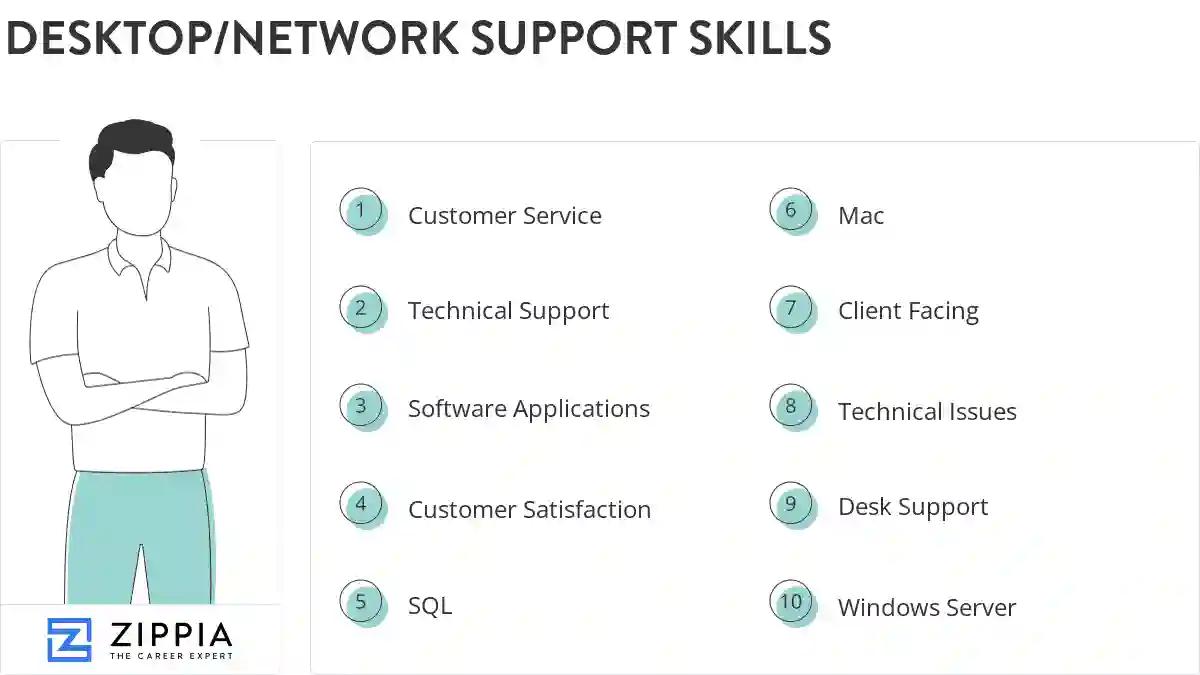
The most important skills for a desktop/network support resume and required skills for a desktop/network support to have include:
- Customer Service
- Technical Support
- Software Applications
- Customer Satisfaction
- SQL
- Mac
- Client Facing
- Technical Issues
- Desk Support
- Windows Server
- Phone Calls
- Remedy
- VPN
- Citrix
- Switches
- Remote Desktop
- Linux
- VMware
- Technical Troubleshooting
- Android
- Phone Support
- Customer Support
- DNS
- DHCP
- Network Connectivity
- Java
- Remote Support
- Tcp Ip
- Work Ethic
- SharePoint
- SCCM
- Computer System
- Connectivity Issues
- Strong Customer Service
- Network Printers
- User Accounts
- Video Conferencing
- Problem Resolution
- Workstations
- PowerPoint
- Technical Assistance
- Network Troubleshooting
- Debugging
- Microsoft Windows
- TCP/IP
- Microsoft Exchange
- Software Problems
- Network Issues
Updated January 8, 2025
