
Automatically apply for jobs with Zippia
Upload your resume to get started.
Technical support assistant skills for your resume and career
15 technical support assistant skills for your resume and career
1. Troubleshoot
Troubleshooting is the process of analyzing and fixing any kind of problem in a system or a machine. Troubleshooting is the detailed yet quick search in the system for the main source of an issue and solving it.
- Trained on system networking and troubleshoot, upgrading software, computer imaging and operating system installation.
- Document problems, resolutions within call-tracking application, troubleshoot and resolve technical Soft.
2. Phone Calls
Phone calls are a wireless or wired connection made over a telephone or a mobile phone between two people. Two parties are involved in a phone call, the caller and the receiver. A caller dials the number of the one he wants to call, and the recipient hears a bell or a tune to which he picks up the call. The call establishes a connection between them through which they can communicate. The voice is converted into signals and is transmitted through wired or wireless technology.
- Performed administrative duties such as ordering office supplies, distributing mail, and forwarding client telephone calls to appropriate departments.
- Managed the reception area; such as answering phone calls and greeting visitors that were requesting information.
3. Data Entry
Data entry means entering data into a company's system with the help of a keyboard. A person responsible for entering data may also be asked to verify the authenticity of the data being entered. A person doing data entry must pay great attention to tiny details.
- Performed data entry document information.
- Assisted real estate appraiser with every day data entry tasks, drove real estate appraiser to and from jobs.
4. Network Printers
- Experienced in diagnosing and resolving computer, Active Directory Account, and local as well as network printer related malfunctions.
- Installed network printers, Windows 7, Vista, XP Pro, on laptop and desktop devices.
5. Desk Support
- Provided help-desk support and implemented solutions that ensured end-user productivity.
- Administered network and offered end-user help-desk support and repair services for sales office equipped with 100 desktop computers.
6. Computer System
- Identified and resolved operational issues in computer systems via telephone or from remote location.
- Assist with relocation of computer systems and/or peripheral devices.
Choose from 10+ customizable technical support assistant resume templates
Build a professional technical support assistant resume in minutes. Our AI resume writing assistant will guide you through every step of the process, and you can choose from 10+ resume templates to create your technical support assistant resume.7. Technical Assistance
Technical assistance is the non-financial assistance provided by local or international specialists. The purpose of technical assistance is to maximize the project's implementation and quality of the final product. Technical assistance consists of sharing information, the transmission of working knowledge, and other transfer of technical data which would aid the administration, management team and help build the project. The technical assistance focuses on particular needs identified by the beneficiary country and is delivered in the form of missions.
- Provided technical assistance alongside Technical Support Specialist - built, upgraded, maintained and troubleshot campus computers.
- Provided technical assistance to co-workers with software applications and general computer problems.
8. Software Issues
Software issues are challenges related to the software installed in a computer that can be resolved by troubleshooting, bug fixes, and in extreme cases by a programmer. Software issues can cause the software to lag in the system, malfunction, or affect the entire function of the computer system in general.
- Handle premium warranty support (Inbound) for Dell XPS consumer for Desktop and Laptop Product involves hardware and software issues.
- Diagnose and resolve technical hardware and software issues involving internet connectivity and email clients and configuring IP address if necessary.
9. Technical Issues
- Skilled Communicator, experienced in working with widely diverse end-users to resolve complex technical issues.
- Performed troubleshooting techniques and provided creative solutions to technical issues.
10. Mac
A media access control or simply MAC is a network policy that identifies or determines how the data is being transferred in two particular servers through a network cable. The purpose of a MAC protocol is to prevent network or technical issues and simplify transferring the information or data.
- Provided IT services & repairs and tutorial training on hardware & software (PC & Mac) & other consumer products
- Performed regular maintenance, update, and installation of Windows OS and MAC OS as well as printers.
11. LAN
A Local Area Network (LAN) is a collection of devices that are connected in the same building, office, or network to facilitate the transmission of information among devices. The area of LAN depends upon the number of devices connected which vary according to the size of a building or an office. It includes cables, computers, switches, routers, access points, and other networking components.
- Documented IP addressing and network configurations for over 300 computers to create an updated list of devices on the LAN.
- Configure and define parameters for installation or testing of local area network (LAN) and related networking equipment.
12. Computer Lab
A computer lab is a place where certain computer services are provided to a community, typically for academic learning and skills development. Computer labs are typically provided in educational institutes for the students to perform their computer-based course activities. Computer labs have several computers and smart devices for the users.
- Collaborated effectively on projects, including Windows deployment and setup of computer labs.
- Assisted other technicians to maintain computer laboratories throughout the campus community.
13. PCS
- Performed troubleshooting procedures on student laptops / PCs for viruses, basic hardware issues, software compatibility issues.
- Assisted in operating the computer aided design network Assisted in hard setting 911 operator PCs for server change
14. Customer Support
- Performed software/hardware diagnostics and repair, while providing excellent customer support.
- Provide customer support and technical support to
15. Technical Problems
- Created tickets for technical problems that could not be solved at a tier 1 by escalating them to information technology managers.
- Worked under minimum supervision to analyze and correct technical problems that may occur on a customer's network.
5 Technical Support Assistant resume examples
Build a professional technical support assistant resume in minutes. Browse through our resume examples to identify the best way to word your resume. Then choose from 5+ resume templates to create your technical support assistant resume.

What skills help Technical Support Assistants find jobs?
Tell us what job you are looking for, we’ll show you what skills employers want.
What skills stand out on technical support assistant resumes?
Anthony Baron
Teaching Assistant, Associate Software Engineer, American University
What soft skills should all technical support assistants possess?
Anthony Baron
Teaching Assistant, Associate Software Engineer, American University
What hard/technical skills are most important for technical support assistants?
Anthony Baron
Teaching Assistant, Associate Software Engineer, American University
What technical support assistant skills would you recommend for someone trying to advance their career?
Kate Marek Ph.D.
Director and Professor, Dominican University
What type of skills will young technical support assistants need?
Joshua Davis Ph.D.
Lecturer, Carleton College
What technical skills for a technical support assistant stand out to employers?
Chirag Parikh Ph.D.
Computer Engineering Chair, Grand Valley State University
As a Computer Engineering professor, I would say the job opportunities are tremendous for students out of college as they can venture into hardware field (technical support, hardware engineer, test engineer and much more) as well as software field (software engineer, software developer, software tester and much more). The possibilities are endless.
With COVID and employees working remotely there is still ample opportunity to enhance your technical and interpersonal skills as I believe remote working might stay for a while till things get back to normal.
List of technical support assistant skills to add to your resume
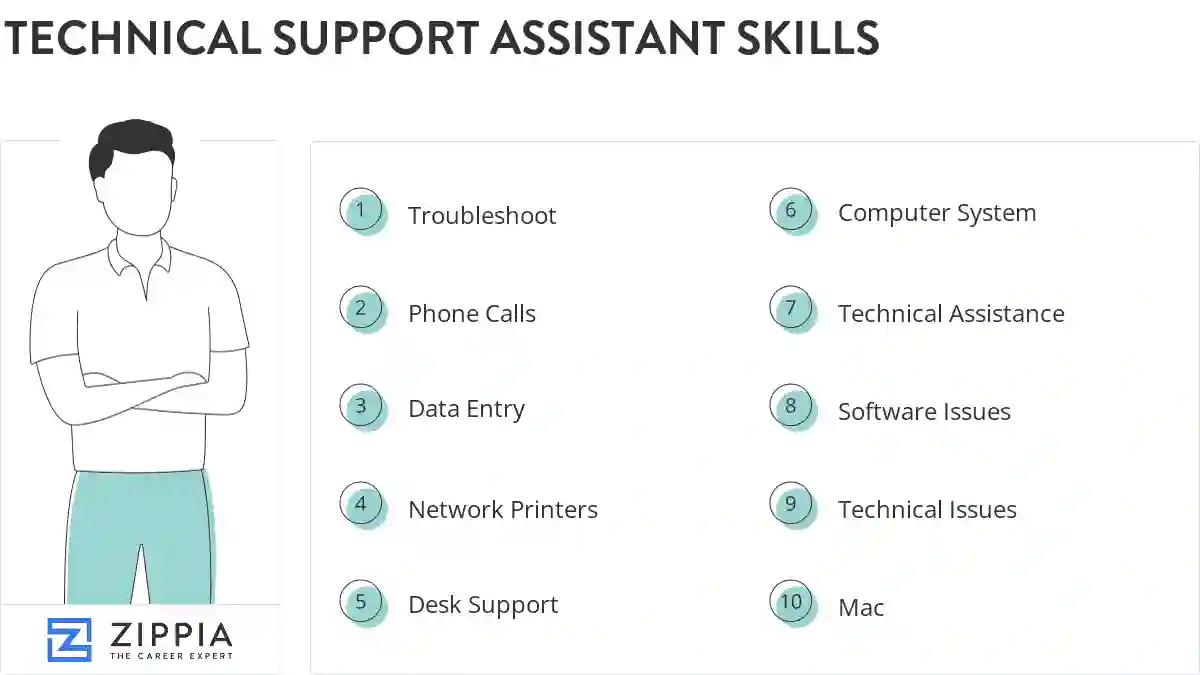
The most important skills for a technical support assistant resume and required skills for a technical support assistant to have include:
- Troubleshoot
- Phone Calls
- Data Entry
- Network Printers
- Desk Support
- Computer System
- Technical Assistance
- Software Issues
- Technical Issues
- Mac
- LAN
- Computer Lab
- PCS
- Customer Support
- Technical Problems
- AV
- Trouble Tickets
- SharePoint
- Software Applications
- User Accounts
- Computer Equipment
- Software Installation
- Computer Software
- Software Support
- Problem Resolution
- Wi-Fi
- Help-Desk Support
- Customer Issues
- Network Issues
- PowerPoint
- Software Problems
- Linux
- Troubleshooting Support
- Windows XP
- TCP/IP
- Connectivity Issues
- SQL
- Inbound Calls
- HTML
- Network Connectivity
- Blackboard
- Windows Server
- Hardware Problems
- Network Troubleshooting
- Technical Troubleshooting
- VPN
- Network Problems
- POS
Updated January 8, 2025
