
Automatically apply for jobs with Zippia
Upload your resume to get started.
Office automation clerk skills for your resume and career
15 office automation clerk skills for your resume and career
1. Database Systems
- Managed the military personnel database system with accurate, up-to-date information with minimal guidance from my supervisor.
- Worked on a long-term project inputting employment applications into a database system.
2. Telephone Calls
Telephone calls are a communication means through which a caller is connected to the called party. The call is done through a telecommunications device called a telephone. The caller can use a landline, mobile phone, or satellite phone to make the call.
- Received and screened incoming telephone calls and visitors, making and initial decision to direct appropriately or coordinated re-contact arrangements.
- Reviewed incoming mail, received and referred telephone calls and visitors to appropriate internal and external customers.
3. Word Processing Software
- Assisted at the Civilian Personnel Customer Service Counter, using a variety of word processing software to provide various documents.
- Prepared documents using various word processing software including spreadsheets, meeting notes, emails and electronic reports.
4. Office Automation Software
- Prepared office correspondence as required using office automation software.
- Operate a personal computer utilizing office automation software.
5. Clerical Support
Clerical support performs activities that must be done in every workplace in order to support the company going forward. These duties, which come within the category of clerical support, are typically delegated to entry-level employees since they are simple and easy to learn. Even though clerical duties like printing and filing are easy, they require time and in many instances, other workers are preoccupied with other activities and unable to keep up with all that needs to be accomplished. As a result, many businesses employ clerical support staff who are solely responsible for these duties.
- Provided administrative and clerical support for uploading and scanning of documents, and ensuring accuracy of information before data entry.
- Provided administrative and clerical support to the Foreign Trade Division; performed office support activities for multiple supervisors.
6. Payroll
Payroll is the sum of all the compensation that an organization has to pay to employees at a specified time. Payroll is managed by the finance or HR department while small business owners may handle it themselves. Payroll isn't fixed as it varies every month due to sick leaves, overtime, etc.
- Performed timekeeping duties including submitting payroll information timely using computer database (MTAS).
- Received documents for Personnel authorizing changes affecting their payroll accounts including changing of addresses.
Choose from 10+ customizable office automation clerk resume templates
Build a professional office automation clerk resume in minutes. Our AI resume writing assistant will guide you through every step of the process, and you can choose from 10+ resume templates to create your office automation clerk resume.7. PowerPoint
- Performed general office automation duties to include creating correspondences, reports, and organizing and preparing data for PowerPoint presentations.
- Coordinated logistics for staff meetings including preparing PowerPoint presentations and meeting itineraries.
8. Travel Arrangements
- Coordinated domestic and international travel arrangements, including securing funding, booking airfare, hotel and transportation.
- Maintained managements calendar, making travel arrangements and ensuring appointments and/meetings did not conflict.
9. Management System
A management system is a set of policies, processes, and procedures taken by an organization or a business to ensure it can fulfill its tasks and achieve its objectives. A management system makes sure that the company excels financially and improves the user experience. The management system also takes care of the worker's and employees' needs and manages their workload and oversees their performance. Apart from interior matters of the company, a management system also deals with exterior matters like legislations, tax matters, and law issues.
- Identified and recommended ways of eliminating extraneous documents by creating electronic records management system on a shared drive.
- Edited master Excel spreadsheet and Soldier Management System computer database to include confidential volunteer-specific information.
10. Travel Vouchers
- Obtain transportation reservations/arrange lodging; Process travel vouchers into GovTrip once member had returned.
- Prepared and negotiated travel vouchers for Veterans Service Officer and Assistant Veterans Service Officer.
11. Front Desk
- Relieved the front desk receptionist greeted all candidates and made sure all applications were complete prior to being escorted for interviews.
- Trained SCSEP individuals in front desk work, office supply procurement and general office clerical and administrative work.
12. Direct Calls
Direct calls are connections established with a previous customer or client, most likely a subscriber.
- Answer main office phone, answered inquiries, and direct callers/visitors to the appropriate personnel.
- Greet and assist visitors, Answer phones, direct calls and respond to inquiries.
13. Retrieve Data
- Utilized computer terminals to enter and retrieve data information.
- Respond to various inquiries, requests, administrative problems and provide guidance/assistance; Use of personal computer system to input/retrieve data.
14. Fax Machines
- Performed other administrative duties including photocopying, word processing, and operating fax machines.
- Inventory items include computers, monitors, laptops, mobile phones, printers, fax machines, copy machines etc.
15. Administrative Tasks
- Performed various administrative tasks on behalf of supervisory personnel.
- Completed various administrative tasks and daily operations.
5 Office Automation Clerk resume examples
Build a professional office automation clerk resume in minutes. Browse through our resume examples to identify the best way to word your resume. Then choose from 5+ resume templates to create your office automation clerk resume.

What skills help Office Automation Clerks find jobs?
Tell us what job you are looking for, we’ll show you what skills employers want.
List of office automation clerk skills to add to your resume
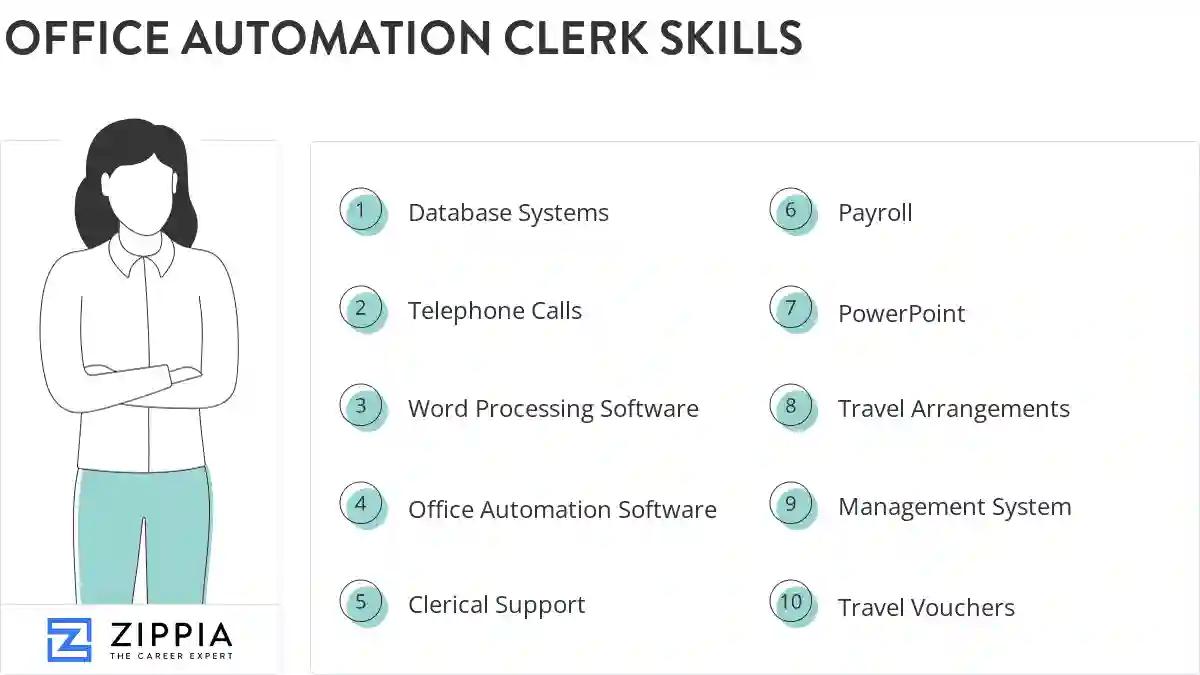
The most important skills for an office automation clerk resume and required skills for an office automation clerk to have include:
- Database Systems
- Telephone Calls
- Word Processing Software
- Office Automation Software
- Clerical Support
- Payroll
- PowerPoint
- Travel Arrangements
- Management System
- Travel Vouchers
- Front Desk
- Direct Calls
- Retrieve Data
- Fax Machines
- Administrative Tasks
- HR
- Internal Reports
- Office Machines
- Office Automation Equipment
- Telephone Inquiries
- Computer System
- Computer Software
- Spreadsheet Software
- Clerical Tasks
- Statistical Data
- Office Procedures
- Travel Authorizations
- Clerical Functions
- DOD
- Greeting Visitors
- Travel Orders
- Routine Correspondence
- Personnel Actions
- Administrative Functions
- Windows
- SharePoint
- Technical Reports
- Suspense Dates
- Conference Calls
- FOIA
- Voice Mail Systems
- Print Forms
- Defense Travel System
- Facsimile Machines
- FedEx
- TDY
Updated January 8, 2025
